AI automation uses artificial intelligence to handle business processes that require judgment and adaptation not just fixed rules. Unlike basic automation that breaks when conditions change, AI automation understands context, learns from patterns, and improves over time. It works best for high-volume, repetitive processes with clean data. Most organizations see results in 3-6 months, though careful planning is essential to avoid common pitfalls like poor data quality and integration challenges.
What Are AI Automation Services?
AI automation services help businesses automate work that normally requires human judgment like reading emails, approving invoices, or deciding which customer request needs urgent attention.
Here’s the core idea: A traditional automation tool follows exact steps. It might copy data from one system to another, fill out forms using specific rules, or trigger notifications based on simple conditions. That works when the process never changes and data is always in the same format.
AI automation goes further. It understands what it’s looking at. When an email arrives, it reads the content, grasps what the customer actually needs, assesses urgency, and routes it to the right person without explicit instructions for every possible scenario. When invoice data comes from a new vendor with a different format, the system still recognizes the information it needs because it understands meaning, not just pixel positions or exact text matches.
This distinction matters practically. Traditional automation handles structure and volume. AI automation handles complexity and change.
Real organizations use this to:
- Finance teams approve thousands of invoices monthly with 99%+ accuracy (vs. 97-98% manually)
- Customer service resolve 40-60% of routine inquiries instantly through AI chatbots
- Manufacturing reduce unplanned equipment downtime by 20-25% through predictive maintenance
- Marketing teams personalize campaigns to thousands of customer segments automatically
- Healthcare providers cut medical documentation time from 15-20 minutes per patient to near-zero active time
These aren’t theoretical benefits. They come from deployments in real businesses managing real complexity.
How AI Automation Works (Step-by-Step)
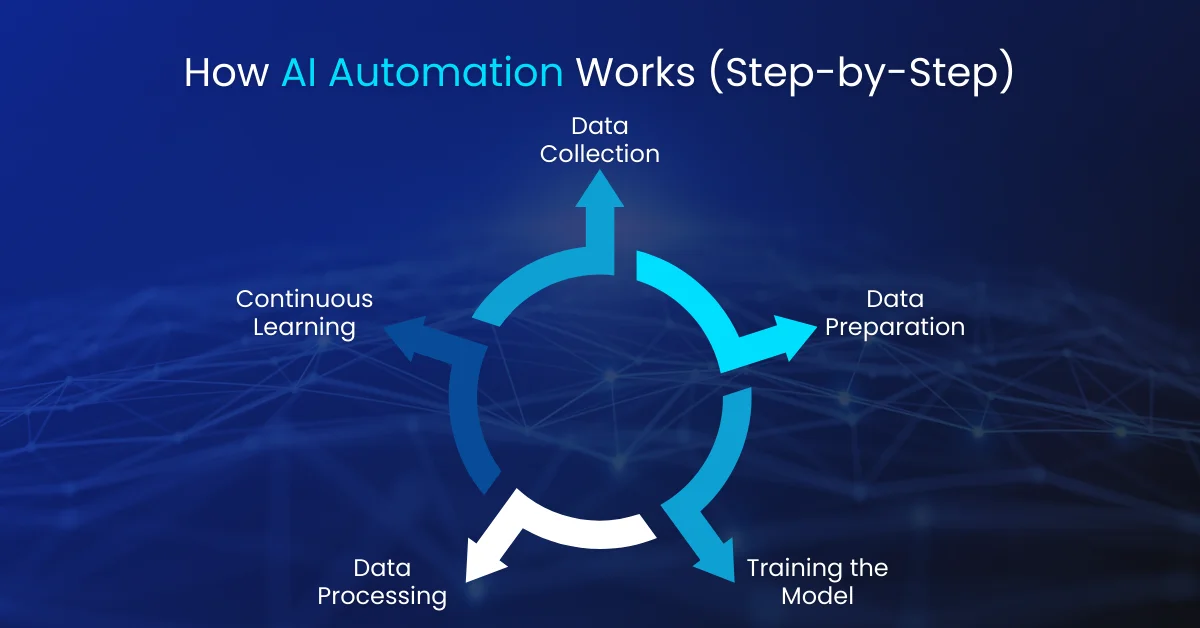
AI automation operates through five stages that turn business events into intelligent outcomes:
Step 1: Event Detection and Trigger
Something happens: a customer submits a support ticket, a file lands in a folder, a database record updates, or a scheduled time arrives. The automation detects it immediately and responds, rather than waiting for someone to notice later.
Why this matters: Even instant detection saves hours. A customer submitting a ticket at 6 PM on Friday no longer waits until Monday morning for anyone to read it.
Step 2: Data Analysis and Context Interpretation
The system reads and understands the incoming information. If it’s an email, the AI extracts key data, recognizes what the sender wants, and assesses whether the request is complete or needs clarification.
This is what separates AI from basic automation. Instead of asking “does this match pattern #3?”, the system asks “what does this mean, and what should happen next?”
Example: When an invoice arrives, the system determines: Is the data complete? Is this vendor legitimate? Does the amount match the purchase order? Is this a duplicate submission? It answers these questions simultaneously by analyzing context, not just checking boxes.
Step 3: Intelligent Decision-Making
Based on its analysis, the system decides the next action. Machine learning models predict likely outcomes based on similar past cases. Rule-based logic handles decisions with clear right/wrong answers. The system considers options and selects the best path forward.
In invoice processing: The AI decides whether to auto-approve (saves time), route for human approval (prevents errors), or flag for investigation (catches fraud or unusual activity). These decisions reflect patterns learned from thousands of prior invoices, not programmed rules.
Step 4: Workflow Execution and Integration
The decision triggers actions across your software ecosystem. The system updates CRM records, sends emails, initiates payments, creates tasks, or launches follow-up workflows. It coordinates seamlessly between tools ERP systems, accounting software, communication platforms, document repositories eliminating manual handoffs.
The business impact: Information flows automatically. No one manually moves data between systems.
Step 5: Continuous Learning and Feedback Loop
Every action gets logged. Every outcome is recorded. Machine learning models analyze this data to improve future decisions. If certain invoice types consistently get escalated, the system learns to flag them proactively next time. If a decision path reliably leads to good outcomes, the system reinforces it.
The result: AI automation systems improve over time without human reprogramming.
AI Automation vs Traditional Automation
Understanding the differences helps you choose the right approach for each process.
Traditional RPA (Robotic Process Automation)works like a macro recorder. You teach it: “Click button A, grab text from field B, submit the form.” It repeats these exact steps millions of times, consistently and without fatigue. It’s exceptional at high-volume, well-defined work with unchanging logic.
The limitation: When conditions change, RPA fails. If a vendor changes their invoice format, the bot breaks because it looks for specific screen locations. If a request doesn’t fit predefined categories, the bot can’t decide what to do.
AI automation approaches the same tasks differently. Instead of step-by-step instructions, it understands the goal: “Process this invoice, determine if it’s valid, approve it when conditions are met.” If the format changes, the AI still recognizes what it’s reading. If an unusual situation arises, it can reason about it.
The trade-off:AI automation requires more sophisticated setup (training data, model validation). But once running, it needs less maintenance because it adapts automatically.
Where they combine best:Forward-thinking organizations use RPA for structural, data-movement work and layer AI on top for decision-making. RPA extracts data from documents and prepares it. AI determines how to process it based on content understanding. This combination called intelligent automation captures RPA’s efficiency with AI’s adaptability.
AI Automation Without Coding
Historically, building AI automation required specialized developers. That barrier has collapsed. No-code and low-code platforms now enable non-technical teams to build, deploy, and maintain AI automation independently.
No-Code Platforms
Visual builders let you connect blocks representing actions, decisions, and integrations. Instead of writing code, you drag condition blocks, specify criteria visually, and connect to action blocks.
Platforms: Zapier, Make, Microsoft Power Automate, Vellum, Lindy AI, n8n
Who uses them: Marketing managers automating lead routing, HR teams automating onboarding, operations teams connecting business software
Strength:Speed. Ideas become working automations in days, not weeks.
Low-Code Platforms
These offer visual builders for 80% of the work, with custom code available for the final 20% when edge cases need special handling. This hybrid approach suits organizations with some technical people available but needing business users to build independently.
Prompt-Based Automation
The newest frontier: describe what you want in plain English. “Create an automation that reads customer emails, categorizes them by sentiment, assigns responses appropriately, and learns from corrections.” The platform’s generative AI translates your description into a working automation.
Implementation speed:Weeks to days instead of months.
When No-Code Works Best
- Simple process automation
- Connecting existing business software (CRM, accounting, marketing tools)
- Straightforward decision logic
- Rapid prototyping or frequent process changes
- Teams needing non-technical independence
When You Need Developers
- Complex custom AI models
- Legacy system integration without APIs
- Specialized decision logic beyond template capabilities
- Scale requiring optimization
- Security or governance requirements beyond standard platforms
The practical reality: No-code and low-code platforms solve 70-80% of typical business automation needs. For those cases, they’re faster, cheaper, and easier to adapt as requirements change. The remaining 20% often justifies custom development, but it’s typically a smaller investment than building from scratch.
Common Business Use Cases of AI Automation
Finance and Accounting
Accounts Payable Processing
Manual AP consumes enormous time and generates costly errors. A typical organization might have three people spending 120 hours monthly manually entering invoices, matching them to purchase orders, routing for approval, and initiating payments.
AI automation transforms this: incoming invoices (paper, PDF, email) are scanned, critical data is extracted and validated, auto-approved if they meet policy, and routed for human approval if they don’t.
Results:Processing time drops from days to hours. Error rates fall from 2-3% to near-zero. Finance teams report 60-70% time savings, freeing staff for vendor relationship management and cost optimization.
Financial Reconciliation
Month-end reconciliation is a classic resource drain. AI automation handles the mechanical work: pulling transaction data from multiple sources, matching transactions with fuzzy logic (handling minor discrepancies), flagging anomalies, even suggesting explanations based on historical patterns.
Human reconcilers focus on genuine exceptions, not line-item comparison.
Fraud Detection
Financial fraud manifests as pattern deviations. Machine learning models trained on legitimate transactions learn what “normal” looks like. When a transaction deviates significantly, the system flags it not based on simple rules like “flag transactions over $10,000,” but based on context.
This customer normally spends $200, lives in Boston, doesn’t travel internationally. A $5,000 transaction from Shanghai is unusual and warrants investigation. This contextual approach achieves 2-3x higher fraud detection rates while reducing false positives.
Automated Credit Decisions
Traditional lending relies on credit scores, which reflect historical payment behavior but miss current financial reality. AI analyzes broader data income stability, employment history, debt ratios, even alternative data like utility payment history enabling more accurate risk assessment and approval of creditworthy borrowers traditional systems might decline.
Customer Service and Engagement
Intelligent Chatbots
AI-powered chatbots understand natural language and context. Unlike rule-based chatbots that fail when questions don’t match expected patterns, AI chatbots grasp intent, retrieve relevant information, and respond conversationally.
They resolve common issues directly, escalate complex problems with full context preserved, and improve through interaction. Financial services companies report AI chatbots handle 40-60% of routine inquiries, reducing costs while providing 24/7 availability.
Automated Email and Sentiment Analysis
Customer support begins with reading messages, understanding needs, assessing emotional state, and routing appropriately. AI automation reads incoming emails, extracts customer requirements, gauges sentiment (identifying dissatisfied or at-risk customers), and routes to specialized teams.
Support managers see immediately which customers are dissatisfied, enabling proactive outreach. Response time drops from hours to minutes for routine inquiries.
Personalized Recommendations
E-commerce and subscription businesses use AI to analyze customer behavior, browsing history, purchase patterns, time spent on products and recommend relevant items. These recommendations are far more effective than generic “customers who bought X also bought Y” because they account for individual preferences and context.
The automation triggers recommendations at optimal moments: relevant products to customers browsing similar categories, complementary items, promotions timed to individual purchase cycles.
Operations and Supply Chain
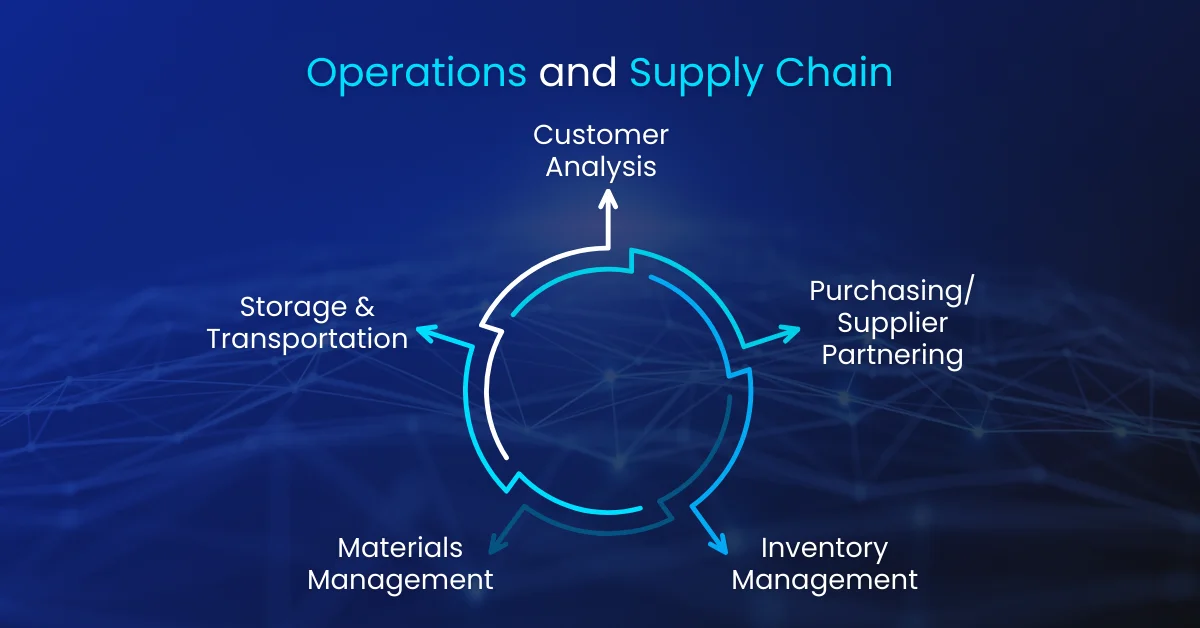
Predictive Maintenance
Equipment failures cause costly downtime. Instead of maintaining machines on fixed schedules (replacing parts whether needed) or repairing only after failure, AI predicts failures.
Sensors monitor equipment performance continuously. Machine learning detects patterns preceding failures. Maintenance teams receive alerts when equipment needs attention, scheduling maintenance during planned downtime rather than production crises.
Result: 20-25% reduction in maintenance costs, significant improvements in equipment uptime.
Supply Chain Optimization
Demand forecasting, inventory optimization, and supplier management involve analyzing vast datasets. AI automation forecasts demand by analyzing historical sales, seasonal trends, external factors (weather, events, economic indicators), and real-time sales data.
Inventory is optimized simultaneously reducing overstock of slow movers while ensuring fast movers don’t cause stockouts.
For retailers and manufacturers:10-15% reduction in inventory carrying costs while improving service levels.
Logistics and Route Optimization
Delivery optimization accounts for real-time factors: current traffic, new orders arriving throughout the day, vehicle capacity, driver availability, delivery windows. AI continuously re-optimizes routes, reducing fuel costs, completing more deliveries per vehicle, improving on-time delivery rates.
Marketing and Content
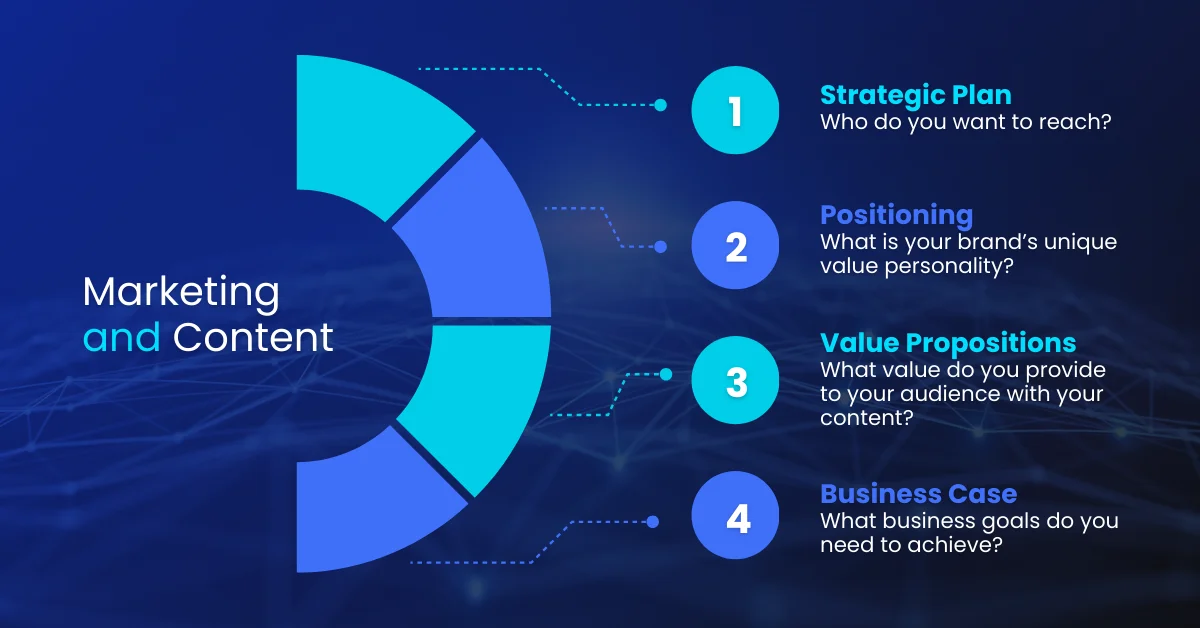
Campaign Personalization and Lead Scoring
AI analyzes lead behavior, engagement, and attributes to score and prioritize leads for sales. Instead of treating all leads equally, AI identifies which are sales-ready based on engagement patterns and demographic fit.
Marketing automation delivers personalized content sequences with different messages for different personas, based on what historically resonates. Higher conversion rates result, plus more efficient sales resource allocation.
Content Generation and Optimization
AI writing tools assist with content creation generating initial drafts, optimizing copy for readability and engagement, personalizing content at scale for different segments. Generative AI now handles routine content like product descriptions, email templates, social media variations, freeing human writers for strategic, high-impact work.
Email Automation with Intelligent Sending
When you send email dramatically affects open and click rates. AI analyzes historical data to determine optimal send times per recipient (morning vs evening, work hours vs evening?), personalizes content based on preferences, automatically resends unopened emails to segments likely to read them.
Healthcare and Administrative
Medical Scribing Automation
Doctors spend hours on administrative documentation instead of patient care. AI scribes listen to doctor-patient conversations, automatically generate clinical notes, and pre-populate records.
Result:Documentation time per patient drops from 15-20 minutes to near-zero active time, allowing doctors to see more patients while focusing on actual care.
Healthcare systems report 10-12 hours per week saved per physician.
Claims Processing
Insurance claims involve extracting information from applications and supporting documents, validating completeness, applying coverage rules, and routing for approval or denial. AI automation handles end-to-end processing.
Result:Claims processing time drops from weeks to days, while accuracy improves and costs drop 30-40%.
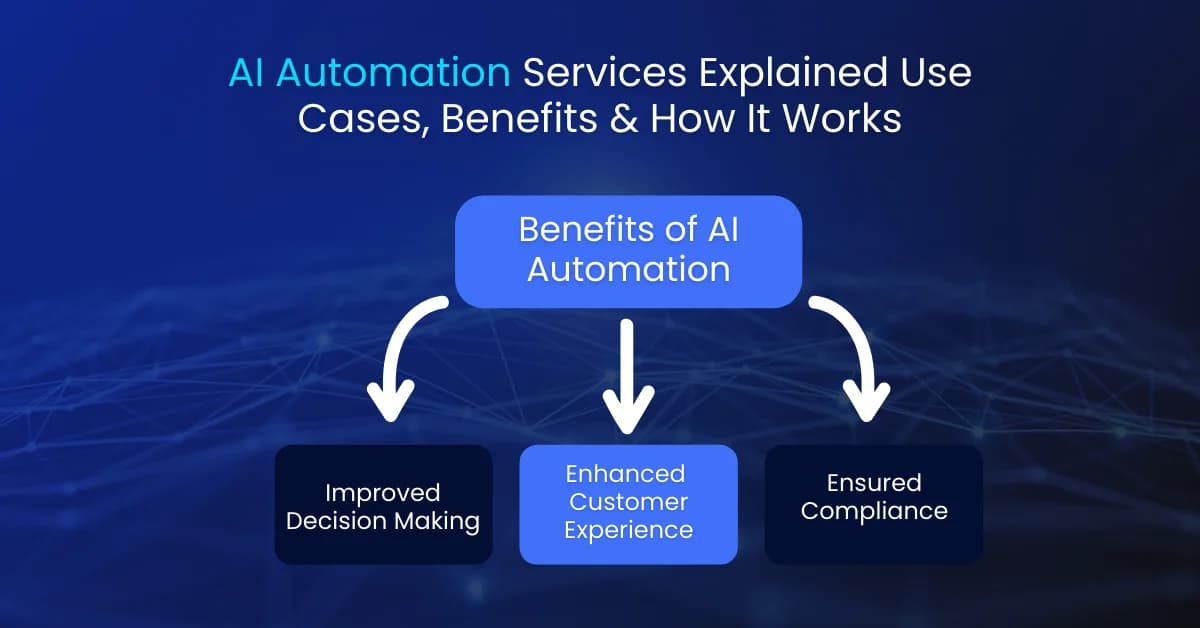
Benefits of AI Automation for Modern Businesses
Operational Efficiency
The most measurable benefit is time savings. Processes consuming hours of human work now execute in minutes.
A financial services company automating invoice processing might have three people spending 120 hours monthly on manual work. That same volume, automated, consumes perhaps 5-10 hours monthly for monitoring and exceptions. The 110-hour monthly saving translates directly to cost reduction or reallocation to higher-value work.
Across a business, these savings compound. If 10 processes each save 100 hours monthly, that’s 1,000 hours freed roughly half a full-time employee’s worth of capacity per 10 processes. At typical fully-loaded labor costs ($60-$100K annually), each process optimized represents $30-$50K in annual value.
Accuracy and Consistency
Humans are remarkably error-prone at repetitive, data-intensive work. Even conscientious data entry specialists make mistakes when processing hundreds of invoices. Error rates in manual data entry typically range from 1-3%.
AI automation achieves near-perfect accuracy. The system doesn’t fatigue and applies rules consistently to every case. For financial processes, this error reduction prevents costly mistakes. For customer service, consistency means every customer receives equally quality interactions regardless of which agent (or AI) handles them.
Scalability Without Proportional Cost

Hire more humans and costs increase proportionally. Deploy AI automation and handle increased volume without equivalent cost increases.
A customer service team using traditional agents costs ~$150,000 per agent annually. If chatbot automation handles 50% of interactions, you reduce demand for agents. A process normally requiring three people might run with two even if volume increases.
Data-Driven Decision Making
AI automation doesn’t just execute tasks; it generates business intelligence. Every decision is logged. Patterns emerge revealing what’s working and what isn’t.
You discover which customer inquiries most frequently escalate (indicating confusion), which vendors have quality issues before they cause major problems, which marketing campaigns drive highest-value customer conversions. This continuous intelligence enables better organizational decision-making.
Improved Customer Experience
From a customer perspective, AI automation often delivers faster responses, 24/7 availability, and personalization. A customer submitting a support ticket might wait hours or days for human response. AI automation can acknowledge immediately and often resolve the issue instantly.
Fewer errors, more relevant recommendations, faster transaction processing all improve satisfaction and loyalty.
Employee Satisfaction and Retention
While automation raises job displacement concerns, research shows that automating repetitive, tedious work improves employee satisfaction. Staff freed from manual data entry can focus on problem-solving, customer relationships, and strategic work generally more engaging.
Organizations successfully deploying automation often see improved employee retention because roles become more interesting and rewarding.
Ready to Transform Your Business with AI Automation?
Automate complex workflows, reduce operational costs, and improve accuracy with intelligent AI automation solutions. Our experts help you identify high impact use cases, design scalable workflows, and deliver measurable business results.
Challenges & Limitations of AI Automation
Honest assessment of challenges helps organizations avoid expensive failures.
Data Quality and Availability
Machine learning models are only as good as their training data. Feed an AI system incomplete, inconsistent, or inaccurate data, and it produces unreliable outputs.
Real example:An AI trained on invoices with inconsistent vendor naming (“Acme Inc” vs “Acme Inc.” vs “Acme”) struggles to recognize vendors properly.
Many organizations discover their data is messier than expected during AI implementation missing values, inconsistent formatting, outdated records mixed with current ones.
Data preparation often consumes 40-60% of project timelines.
Beyond quality, data availability itself challenges many organizations. Data lives in siloed systems that don’t communicate, making it difficult to assemble complete datasets for AI training.
Algorithmic Bias and Fairness
AI systems learn patterns from historical data. If that data reflects historical biases, the AI perpetuates them.
A hiring automation system trained on past hiring decisions might discriminate against qualified female candidates if the organization historically hired fewer women. A loan approval system might unfairly deny applications from certain demographics if historical approval decisions carried demographic bias.
These biases are often subtle and unintentional. The financial and ethical costs can be severe. Regulatory bodies increasingly scrutinize AI systems for bias. Companies have faced lawsuits and fines for algorithmic discrimination.
Security and Privacy Compliance
AI automation often processes sensitive data personal information, financial records, health information. This raises substantial security and compliance concerns.
GDPR and similar regulations require explainability (understanding automated decisions), data privacy protections, and preventing unauthorized access. AI systems making decisions based on dozens of factors are inherently harder to explain than simple rules.
Organizations must implement proper access controls, encryption, audit trails, and incident response capabilities. Compliance adds complexity, but many regulated industries successfully deploy AI automation. The key is making security and compliance priorities during design, not afterthoughts.
Integration and Compatibility Complexity
Most businesses run diverse technology stacks different ERP systems, legacy mainframes, modern cloud applications, on-premises databases. AI automation needs to integrate with all of them to work effectively.
Some systems have modern APIs facilitating easy integration. Others require custom integrations or workarounds. Integration work can be technically complex and time-consuming. When systems change or upgrade, integrations sometimes break, requiring maintenance.
Ongoing Maintenance and Monitoring
AI systems aren’t “set and forget.” They require continuous monitoring. If a system’s accuracy degrades over time (model drift), it needs retraining. If business processes change, AI decision logic might need adjustment. If edge cases reveal poor decisions, tuning is required.
This ongoing maintenance requires technical expertise. Organizations investing in AI automation need to budget for continuous support, not just initial implementation.
Change Management and Workforce Adaptation
Technical implementation is often easier than organizational adoption. When AI takes over work people previously did, resistance emerges. Some staff worry about job security. Others struggle to trust automated decisions.
Integration with human workflows creates friction. Should managers review all automated decisions, only certain ones, or trust the system entirely?
Organizations implementing AI successfully invest heavily in change management: explaining what’s changing and why, involving staff in implementation, providing training, and addressing concerns.
Explainability and Trust
Complex AI models, particularly deep learning systems, are often “black boxes.” The system produces accurate outputs but reasoning isn’t transparent. In financial or healthcare contexts, stakeholders need to understand why decisions were made.
Why was this loan declined? Why was this patient flagged? If the system can’t explain, regulators may not accept it, and customers may not trust it. Some AI techniques (simpler decision trees, rule-based systems) are more interpretable; others are powerful but opaque.
When Does AI Automation Make Sense for a Business?
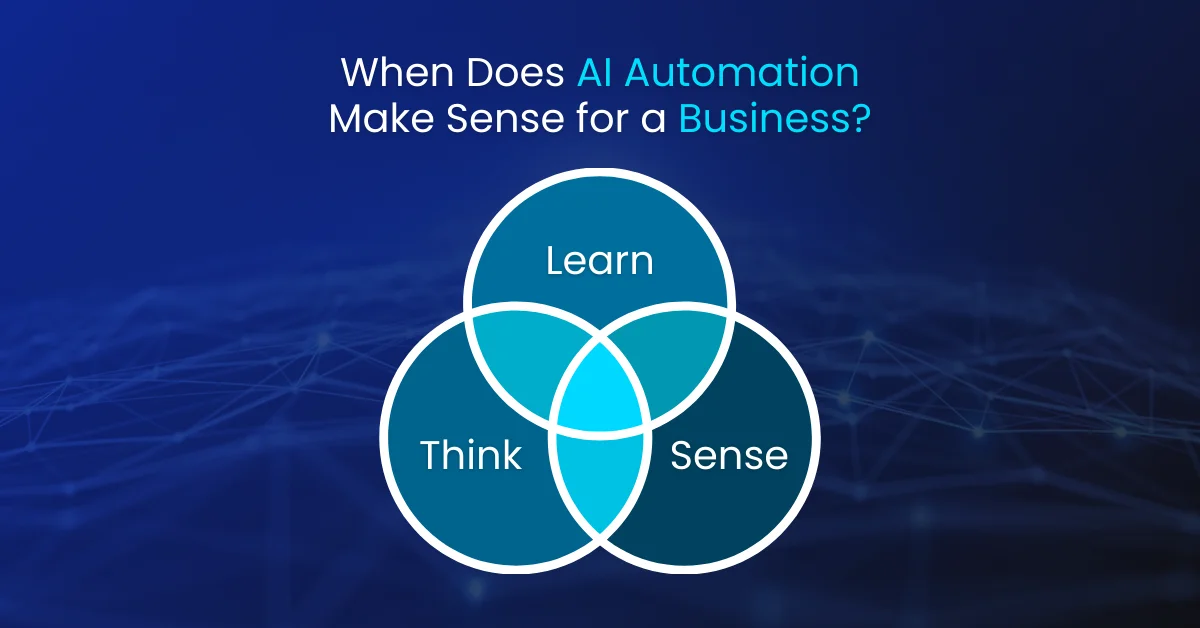
Not every business should implement AI automation immediately, and not every process is a good candidate. Implementing automation on unprepared processes creates expensive failures.
Company Size and Maturity
Startups and very small businesses often lack organizational maturity for sophisticated automation. Early-stage companies continuously optimize processes. Automation is most valuable when processes are stable enough that optimizing once provides long-term value.
Mid-sized and large organizations with established processes, clear workflows, and documented procedures are ideal candidates.
Process Characteristics
Ideal candidates are processes that are:
- High-volume (automating 10,000-monthly instances provides more ROI than automating one monthly task)
- Repetitive (the same logic applies consistently)
- Rule-based or pattern-based (clear decision criteria exist, not pure judgment calls)
Customer service automation works because many inquiries are variations on common themes. Automating strategic decisions where every situation is unique and novel is much harder.
Data Readiness
Before implementing AI automation, you need sufficient historical data to train models. If automating invoice approval, you need historical data showing what invoices were approved, which were declined, and why enough to train patterns.
A new business without historical data can’t immediately deploy sophisticated AI systems. They might start with rule-based automation and evolve to AI as data accumulates.
Technical Infrastructure
Automation requires data connectivity. Can you extract data from your systems? Can you integrate the automated workflow with downstream systems needing its outputs? Legacy systems with difficult-to-access data or limited integration capabilities increase implementation complexity.
Readiness Assessment
Ask these questions to gauge organizational readiness:
Operational:
- Are key processes documented?
- Is the team spending >50% of time on routine, repetitive work?
- Are key metrics tracked?
Technical:
- Do you have modern systems with accessible data and APIs?
- Is your team comfortable adopting new technology?
- Do you have basic integrations in place?
Strategic:
- Is leadership committed to operational improvement?
- Is budget available?
- Are you willing to redesign processes?
Cultural:
- Is the team open to AI augmenting their work?
- Are change management capabilities present?
- Is commitment present for ongoing optimization?
Scoring: 12+ yes answers indicates strong readiness. 8-11 suggests moderate readiness requiring gap remediation. Under 8 suggests focusing on foundational improvements first.
Timeline and Resource Commitment
Organizations should expect:
- Initial implementation:3-6 months (12-18 months for enterprise-wide rollout)
- Ongoing support: Indefinite
- Budget requirements: Software licensing, data preparation, integration, testing, training, continuous maintenance
Starting with a focused pilot project one department, one process reduces risk and teaches lessons applicable to broader rollout.
Typical implementation timeline breakdown:
- Discovery: 2-4 weeks (understand requirements and current state)
- Data Preparation:3-8 weeks (often the longest phase, 40-60% of project time)
- Model Development: 4-8 weeks (building and training the AI system)
- Integration & Testing: 3-6 weeks (connecting systems and validating)
- Deployment & Refinement: 2-4 weeks plus ongoing (go-live and continuous improvement)
Timeline depends heavily on data quality and readiness. Organizations with clean, organized data and clear use cases deploy faster. Those with siloed data and complex legacy systems need longer.
Key Takeaways
Based on patterns seen across real-world AI automation implementations in finance, customer support, operations, and marketing teams, several lessons emerge consistently:
- Process readiness matters more than technology choice.The best AI automation platforms fail on poorly defined or unprepared processes. Organizations succeed when they invest equally in process analysis as in technology selection.
- Data quality is non-negotiable. Spending time cleaning and organizing data early prevents expensive failures. Many organizations underestimate this phase, then face delays and disappointment.
- Start small, scale thoughtfully. Pilot projects teach valuable lessons about integration, change management, and workflow adaptation that large deployments discover expensively. A single successful process automation creates momentum and expertise for broader rollout.
- Ongoing maintenance is a cost center, not a one-time project.Organizations budgeting only for implementation, not for continuous monitoring and optimization, often abandon systems as they degrade over time.
- Humans and AI work best together, not competing. The highest-value implementations augment human work, not replace it. Automating routine decisions frees expertise for complex problem-solving where human judgment remains superior.
AI automation, when implemented thoughtfully, delivers substantial operational value. When implemented hastily, it creates frustration and wasted investment. The difference lies in honest assessment of readiness, clear-eyed acknowledgment of challenges, and realistic expectations about timelines and resources required.
Ready to Automate Your Business with AI?
Discover how intelligent automation can streamline operations, reduce costs, and improve accuracy across your workflows. Talk to our experts to explore custom AI automation solutions tailored to your business goals.
Frequently asked questions
AI automation services use artificial intelligence to automate business processes that require understanding, decision-making, and adaptation rather than just following fixed rules. Unlike traditional automation that breaks when conditions change, AI automation learns from data, adapts to changing conditions, and handles unstructured information like text, images, and documents. These services automate complex workflows end-to-end, reducing manual effort, improving accuracy, and enabling faster, data-driven decision-making across operations.
No. RPA (Robotic Process Automation) automates repetitive, rule-based tasks using pre-programmed logic. It excels at high-volume, well-defined work like data entry or form filling but struggles with variation and unstructured data. AI automation handles more complex tasks by understanding context, learning from examples, and adapting to new situations. Think of RPA as task execution and AI automation as intelligent task execution. Many organizations use RPA for structural data movement and AI for intelligent decision-making in a combined approach called intelligent automation.
Yes. No-code and low-code platforms like Zapier, Make, Microsoft Power Automate, and Vellum enable business users to build automation through visual builders and drag-and-drop interfaces. Newer prompt-based platforms let you describe automations in natural language. These platforms work well for 70-80% of business automation needs, particularly connecting existing business software. More complex custom AI models requiring specialized logic or legacy system integration typically need developer involvement, but that's often a smaller investment than building from scratch.
Security and compliance require careful attention but are achievable. AI systems processing sensitive data need robust access controls, encryption, audit trails, and incident response capabilities. GDPR and similar regulations require explainability (understanding how automated decisions are made) and data privacy protections. Organizations must implement proper data governance, conduct bias audits, maintain transparency, and document decision processes. Compliance adds complexity, but many regulated industries successfully deploy AI automation. The key is making security and compliance priorities during design, not afterthoughts.
Most organizations complete initial implementations in 3-6 months (12-18 months for comprehensive enterprise rollout). The process includes five phases: Discovery (2-4 weeks), Data Preparation (3-8 weeks, often the longest), Model Development (4-8 weeks), Integration & Testing (3-6 weeks), and Deployment & Refinement (2-4 weeks plus ongoing). Timeline depends heavily on data quality and readiness. Organizations with clean, organized data and clear use cases deploy faster. Those with siloed data and complex legacy systems need longer. Starting with a focused pilot—one department, one process typically completes in 6-8 weeks and teaches lessons applicable to broader implementation.

Written by
Ali Hamza
Marketing strategist
Ali Hamza is an SEO specialist and digital marketer with 7+ years of experience in SEO, content strategy, WordPress, and online growth marketing. He shares practical insights and industry-based strategies focused on improving search visibility, user experience, and long-term organic growth.