
An H1 tag is the primary heading of a webpage. It defines the main topic of the page for users, search engines, and AI systems. In 2026, H1 tags are essential for accessibility, structured content parsing, and AI Overviews not just keyword relevance.
The H1 tag remains a fundamental component of technical SEO, yet its role has evolved significantly beyond simple keyword placement. It is not merely a ranking signal; it is a critical structural element that informs accessibility devices, guides user experience, and provides the structured data necessary for Large Language Models such as Google’s Gemini or OpenAI’s GPT systems to generate AI Overviews.
For technical SEOs and developers, understanding the H1 tag requires moving beyond basic implementation and addressing complex environments like headless CMS architectures, Single Page Applications (SPAs), and multilingual deployments. This guide provides a technical auditing framework, real rewriting examples, Google-sourced myth corrections, and best practices to ensure your heading structure is robust, accessible, and future-proof.
|
⚡ Quick Take One primary H1 per URL | H1 aligns with title tag and search intent | Each H1 must be unique across the site | Write H1s for humans first, search engines second | Clean H2/H3 hierarchy no skipped levels | Audit with Screaming Frog or a site audit tool | Ensure the H1 exists in the initial HTML (SSR) |
What Is an H1 Tag?
An H1 tag is an HTML element that indicates the primary heading of a webpage. It serves as the top-level structural marker in the document object model (DOM), telling browsers, search engines, and assistive technologies what the main topic of the page is. It is distinct from the <title> tag, which is metadata, whereas the H1 is part of the visible on-page content.
In HTML, it looks like this:
<h1>H1 Tag Best Practices for 2026</h1>
It is crucial to clarify that the H1 tag is a semantic element, not a stylistic one. While browsers apply default large, bold styling to H1s, developers should control visual appearance via CSS. Using an H1 simply to make text big is a semantic error that degrades accessibility and SEO performance.
|
📌 Common Confusion: <head> vs <header> vs <h1> <head> is the HTML document’s invisible metadata container (title tag, meta description, scripts). <header> is a visible layout element at the top of a page. Neither is the same as <h1>, which is a semantic content element defining the page’s primary topic. |
H1 vs. Title Tag: Key Differences
In simple terms: the Title Tag attracts the click in search results. The H1 confirms the topic once the user lands on the page. They do not need to be identical, but they must be thematically consistent.
| Aspect | Title Tag (<title>) | H1 Tag (<h1>) |
|---|---|---|
| Location in HTML | <head> — invisible to users on page | <body> — visible to users on page |
| Appears where | Browser tab, SERP snippet, social shares | On-page as the primary visible heading |
| Primary purpose | CTR and relevance signals in SERPs | Structure, topic clarity, user experience |
| Written for | Search engines and users scanning SERPs | Users already on the page |
| Ideal length | 50–60 characters | 50–60 characters |
| Must it be unique? | Yes — per page | Yes — per page and across the site |
| Can they differ? | Yes — different wording is recommended | Yes — more descriptive or conversational |
An important nuance: Google sometimes uses the H1 tag as the fallback title in search results when it determines the H1 is more relevant to a query than the title tag. This means a poorly written H1 can override the title tag you have carefully optimised for click-through rate making H1 quality doubly important.
|
💡 Google News Exception In Google News, the <title> tag and <h1> should match so that Google displays the intended article headline. This applies specifically to news and editorial publishing not to standard web pages. |
Title Tag vs H1: Real Example
| Element | Example Text | Why |
|---|---|---|
| Title Tag | H1 Tag Best Practices 2026 | Technical SEO Guide | Short, keyword-forward, SERP-optimised for clicks. |
| H1 | H1 Tag Best Practices for 2026: Optimize Headings for AI, SEO & Accessibility | More descriptive — confirms the user landed on the right page. |
Why H1 Tags Matter in 2026
The importance of the H1 tag has shifted from a primary keyword signal to a vital component of document structure and entity understanding. Its impact now spans users, search algorithms, AI systems, and accessibility tools simultaneously.
For Users
The H1 tag is the first visual anchor a user sees upon loading a page. Its job is to immediately confirm relevance.
Scannability:Users scan rather than read. A clear H1 confirms the page’s relevance within seconds of landing.
Mobile Readability:On smaller viewports, the H1 anchors the user’s position before they scroll. A bloated or vague H1 loses them immediately.
Reduced Bounce Rate:If the H1 does not match the user’s intent or the link they clicked, they will leave. This pogo-sticking signal users returning immediately to SERPs tells Google the page failed to satisfy intent, which can negatively affect rankings over time.
Logical Structure:The H1 sets the expectation for the content hierarchy that follows. H2s and H3s should feel like a natural extension of the promise made in the H1.
For Search Engines
Google has been increasingly transparent about heading usage. In its official SEO Fundamentals documentation, Google states: “Provide headings to help users navigate your pages” framing headings as a usability feature, not a ranking formula. The documentation also notes: “There’s no magical, ideal amount of headings to use.”
Despite this, heading structure still contributes to search engine performance through:
Topic Clarity:Google uses the H1 to confirm the main subject of the page when indexing, particularly for new or less-established content.
Hierarchical Parsing:Search bots parse the DOM from top to bottom. The H1 initiates the hierarchy, helping bots understand the relationship between the main topic and subtopics.
Fallback Title:Google may display the H1 as the SERP title link if it determines the H1 better matches the query than the title tag reinforcing why H1 quality matters for CTR.
For AI Overviews and AEO
This is the most critical shift for 2026. Large Language Models such as Google’s Gemini or OpenAI’s GPT systems process web pages by detecting structural HTML markers. They do not read pages like humans, they extract structured signals to synthesise answers.
Structured Extraction:AI models rely on semantic HTML to distinguish between core facts and supporting text. A clear H1 tells the AI exactly what entity or concept is being discussed.
Passage Ranking:AI Overviews often pull specific passages to answer queries. A strong H1 combined with clear H2s improves the likelihood of your content being identified as a relevant passage.
Summarisation:Question-style H2s and H3s help AI models map your content directly to user queries, increasing the probability of citation in AI-generated summaries.
In practice, your H1 and early H2s should state the topic plainly, then answer likely follow-up questions. Pages with a strong heading hierarchy and question-based subheadings are significantly more likely to be cited in AI-generated answers.
For Accessibility and WCAG
For users who rely on assistive technologies like screen readers, the H1 is the primary orientation point on any page. The Web Content Accessibility Guidelines (WCAG) identify correct heading use under two key success criteria:
WCAG 1.3.1 — Info and Relationships:Information conveyed through structure must be programmatically determinable. This means a heading must be marked as a heading in the HTML, not just styled to look like one.
WCAG 2.4.6 — Headings and Labels:Headings must be descriptive. Vague H1s like ‘Welcome’ or ‘Home’ fail this criterion because they don’t help users understand the page’s purpose.
A screen reader user typically navigates a new page by pulling up a list of all headings. The H1 is the first entry in that list and sets the context for everything below it. A missing, duplicate, or vague H1 degrades the experience for millions of users relying on assistive technology.
H1 Tag Best Practices (2026 Updated)
To audit and implement H1s effectively, adhere to these core technical and strategic standards. A key principle running through all of them: write H1s for humans first, search engines second. Natural, descriptive headings outperform keyword-engineered ones in both readability and modern ranking algorithms.
- Use One Primary H1 Per Page
Historically, HTML5 specs allowed for multiple H1s if contained within <section> or <article> tags. However, from an SEO and accessibility standpoint, using a single H1 per URL is the established best practice.
Google’s John Mueller has confirmed in multiple public videos (2017, 2019) that multiple H1s are not a ranking penalty. However, a single, clear H1 is recommended because it provides an unambiguous topic signal for both search engines and assistive technology users. The goal is clarity, not compliance.
|
📌 Note on SPAs In Single Page Applications (React, Vue), ensure the H1 updates dynamically as the page view changes. Each route should have exactly one H1 that reflects the current page content. |
- Make Every H1 Unique Across Your Entire Site
This is one of the most overlooked H1 best practices. Having one H1 per page is not enough if multiple pages share the same H1 text. Identical H1s across pages create keyword cannibalisation risk Google may struggle to determine which page to rank for a given query when multiple pages claim the same primary topic.
Common culprits include:
Template defaults:CMS themes that auto-populate H1s from a category name, leaving dozens of pages with identical headings like ‘Blog Posts’ or ‘Services’.
Thin content pages:Pagination pages, tag archives, and filtered product listing pages that inherit a parent category’s H1.
Translated pages:Word-for-word translations that produce structurally identical H1s in different language versions.
Screaming Frog’s ‘Duplicate H1’ filter is specifically designed to surface this problem at scale.
- Match Search Intent — Not Just Keywords
Vague headings like ‘Welcome’ or ‘Home’ waste semantic value. The H1 must reflect both the content’s purpose and the user’s reason for visiting. If the user searched for ‘technical SEO audit checklist,’ the H1 should explicitly reflect that intent not just contain the keyword.
- Keep It Concise — Around 50–60 Characters
While there is no hard character limit for H1s, long headings push main content down the page (causing layout shift issues) and become difficult to read on mobile devices. Aim for 50–60 characters. This also reduces the risk of Google overriding your H1 with a shortened version in the SERP title.
- Use Title Case
H1 tags should use title case the first letter of each major word capitalised. Title case makes headings more scannable, more visually prominent, and more professional in appearance. It is the standard convention for article titles, book titles, and web page headings in editorial and SEO contexts.
Example: ‘H1 Tag Best Practices for 2026: Optimize Headings for AI, SEO & Accessibility’
|
🛠️ Tool Tip Use a free tool like TitleCase.com or ConvertCase.net to quickly convert any heading to proper title case without manually editing each word. |
6. Align H1 With the Title Tag (Same Message, Different Wording)
The title tag and H1 should carry the same topical message but do not need to be character-for-character identical. The title tag is constrained by SERP space and should be optimised for click-through rate. The H1 has more room for natural, descriptive phrasing.
Title Tag: “Best Technical SEO Audit Tools for 2026 | Agency Name”
H1: “The Top 10 Enterprise Technical SEO Audit Tools for 2026”
7. Plan Your Heading Hierarchy Before Writing
Before drafting content, map the H1, H2, and H3 structure as an outline. This prevents logical gaps and ensures every section serves the page’s central topic. If you cannot write a clean H1 and three supporting H2s before writing a word of body copy, the page likely lacks a coherent focus and needs a narrower scope.
- Never Use H1 for Styling
Do not wrap text in <h1> tags just to make it large or bold. This confuses screen readers, which use heading navigation to jump through content. For large decorative text in banners or CTAs, use a <div> or <p> with CSS classes instead.
<!– WRONG: H1 used for visual size, not semantic meaning –>
<h1 class=”hero-banner-text”>Limited Time Offer</h1>
<!– CORRECT: Semantic H1 for the page topic, CTA uses a styled div –>
<h1>Technical SEO Audit Services for Enterprise</h1>
<div class=”hero-cta”>Limited Time Offer</div>
- Use Keywords Naturally — Write for Humans First
Include the primary keyword or a close variation where it reads naturally. Modern NLP-based ranking algorithms reward clarity and coherence, not keyword density. If forcing the keyword makes the heading awkward, prioritise clarity.
|
Type |
Example |
Problem |
|
Keyword stuffed |
“SEO Services, SEO Consulting, SEO Audits, SEO Agency” |
Reads as spam — degrades trust and user experience |
|
Keyword forced |
“SEO the Best Services for Your Business Consulting” |
Grammatically broken — confuses users and crawlers |
|
Natural & clear |
“Professional SEO Consulting for Mid-Market Businesses” |
Readable, topically clear, keyword present naturally |
- Write Benefit-Driven H2 Subheadings
While the H1 defines the topic, H2s should drive engagement. Benefit-driven subheadings reduce pogo-sticking by convincing the user the content holds value before they commit to reading it. Compare ‘Our Process’ vs ‘How We Cut Audit Time by 60% Without Losing Coverage’ the second tells the reader what they gain by reading on.
How to Write a Strong H1: Before and After Examples
The most effective way to understand what makes an H1 work is to see weak headings rewritten with rationale. The following examples cover the most common page types and failure modes.
Example 1: Homepage
|
Before (Weak) |
After (Strong) |
Why It’s Better |
|
Welcome to Our Agency |
Digital Marketing Agency for B2B Technology Companies |
Specifies what the agency does and who it serves — matches intent of someone evaluating agencies |
|
Home |
Cybersecurity Consulting for Mid-Market Financial Services |
Replaces a placeholder with a topic-rich, intent-matching H1 |
Example 2: Service or Product Page
|
Before (Weak) |
After (Strong) |
Why It’s Better |
|
Our Services |
Enterprise SEO Consulting Services: Audits, Strategy & Execution |
Describes the service category and key deliverables — gives search engines and users concrete topic signals |
|
Solutions |
Cloud Infrastructure Management for Scaling SaaS Businesses |
Specific, benefit-hinted, and topically precise |
Example 3: Blog Post or Guide
|
Before (Weak) |
After (Strong) |
Why It’s Better |
|
A Guide to Headings |
HTML Heading Hierarchy: How to Structure H1–H6 for SEO & AI |
Primary keyword near start, includes scope and benefit |
|
Everything You Need to Know About Technical SEO |
Technical SEO Audit Guide: 12 Steps to Fix Crawl, Index & Speed Issues |
Specific deliverable, numbered format signals actionability |
Example 4: E-Commerce
|
Page Type |
Before (Weak) |
After (Strong) |
|
Product page |
Running Shoes |
Brooks Ghost 16 Men’s Running Shoes — Neutral Cushioning |
|
Category page |
Shoes |
Men’s Running Shoes: Road, Trail & Track |
|
Homepage |
Shop Now |
Premium Athletic Footwear for Serious Runners |
|
🛒 E-Commerce Rule of Thumb Product pages: H1 = product name + key variant. Category pages: H1 = category name (not the first product, not a promotional banner). Homepage: H1 = brand positioning statement, not a CTA or tagline. |
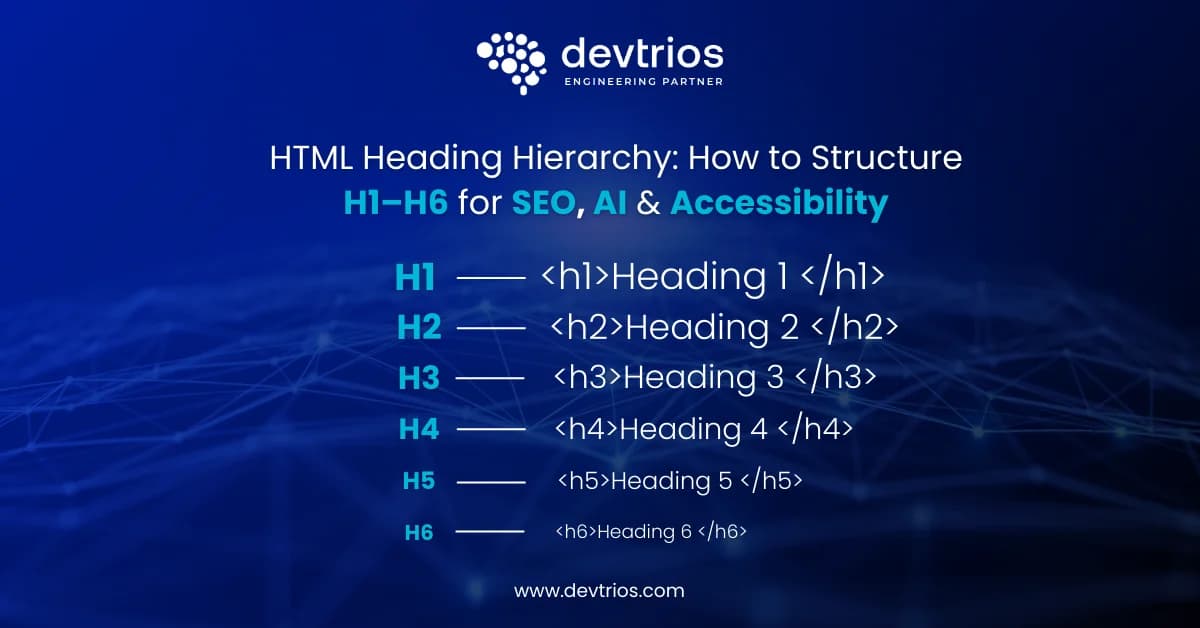
Proper Heading Hierarchy (H1–H6)
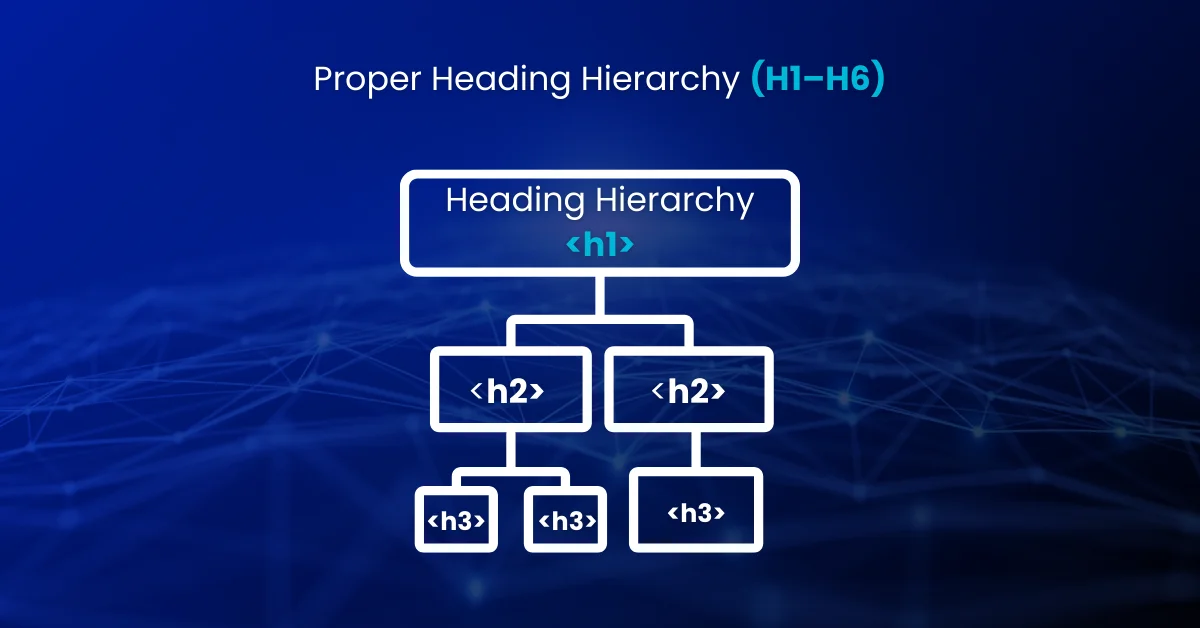
The heading structure must follow a logical, nested order. Skipping levels breaks the document outline, causing issues for accessibility tools and potentially confusing search bots regarding the importance of subsections.
Correct Example
<h1>Technical SEO Guide</h1>
<h2>Core Web Vitals</h2>
<h3>Largest Contentful Paint (LCP)</h3>
<h3>Cumulative Layout Shift (CLS)</h3>
<h2>Site Architecture</h2>
<h3>Internal Linking Strategy</h3>
Incorrect Example
<h1>Technical SEO Guide</h1>
<h3>Largest Contentful Paint</h3> <!– WRONG: Skipped H2 –>
<h2>Site Architecture</h2> <!– H2 appears after H3 –>
Key Hierarchy Rules
No Skipping:Do not jump from H1 to H3 or H2 to H4. Every level must be present sequentially.
No Navigation Headings:Do not use H2 or H3 tags for site-wide elements like ‘Footer Menu,’ ‘Sidebar,’ or ‘Related Posts’ unless they are semantically part of the main content. These pollute the semantic outline that crawlers and screen readers parse.
No Repeated H1s:Ensure your site template does not inadvertently inject a duplicate H1 (e.g., the site logo wrapped in H1 on every page a common WordPress theme error).
Parallel Sections — Parallel Levels:If two sections are of equal importance, they should both be H2s. Demoting one to H3 sends a false signal about relative importance.
A clean HTML heading hierarchy helps both search engines and assistive technologies understand content relationships, especially when structuring H1–H6 correctly across complex templates.
How to Audit H1 Tags (Step-by-Step)
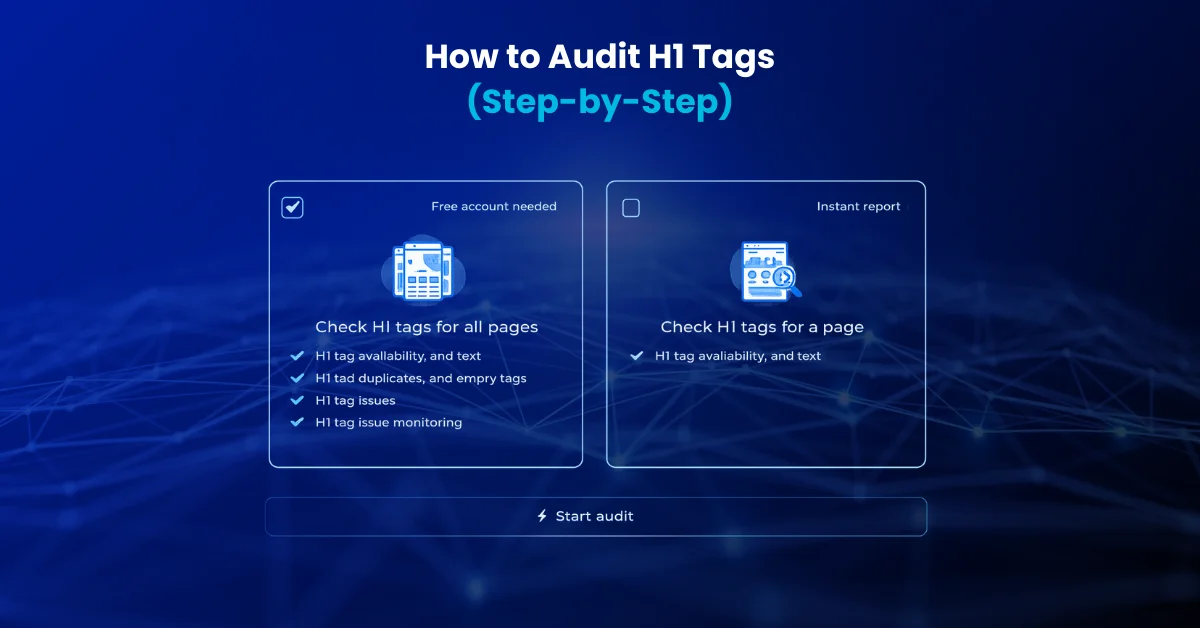
|
Quick H1 Audit Checklist Exactly one H1 per URL | H1 is unique – not duplicated on any other page | H1 matches search intent | H1 aligns with title tag | Title case used | No skipped heading levels | No layout H1 duplication (logo, banners) | Primary keyword used naturally | H1 rendered in initial HTML (not JS-only) | H1 between 50–60 characters |
Method 1: Manual Spot Check
For inspecting individual pages without any tools:
Inspect Element:Right-click the heading > Inspect. Ensure it is wrapped in <h1> tags, not styled <span> or <div> tags.
View Source:Press Ctrl+U (Windows) or Cmd+U (Mac). Search for ‘<h1’ using Ctrl+F. Count how many instances appear. Zero or more than one requires investigation.
W3C Bookmarklet:Install the free W3C heading bookmarklet (available at w3.org/WAI/test-evaluate/easy-checks/headings/) for a quick visual overlay of all heading levels on any page.
Method 2: Screaming Frog (Site-Wide)
- Run a full crawl of the domain.
- Go to the H1 tab.
- Filter by: Missing (no H1 — critical fix), Duplicate (same H1 on multiple pages cannibalisation risk), Multiple (more than one H1 per URL), Over X Characters (H1s that are too long).
- Use Bulk Export > All Headings to download a full spreadsheet of every heading on every page, organised by URL.
- Sort by URL and scan the heading sequence for any level jump (e.g., H2 followed by H4).
Method 3: Semrush Site Audit
- Run a Site Audit on your domain.
- Go to Issues and filter by H1.
- Look for: ‘Multiple H1 tags,’ ‘Missing H1 tag,’ ‘H1 tag is too long/short.’
- Semrush also flags skipped heading levels under the Warnings category.
- Prioritise fixes by page traffic and revenue impact.
Method 4: Ahrefs Site Audit
- Run a Site Audit from the Ahrefs dashboard.
- Navigate to On-Page reports.
- Filter for H1-related issues: missing, duplicate, or multiple H1s.
- Export the report and cross-reference with organic traffic data to prioritise fixes.
Fix Prioritisation Framework
You cannot fix thousands of pages at once. Prioritise in this order:
|
Priority |
Page Type |
Why |
|
1st |
High Traffic Pages |
Already driving value — fixing H1s here protects and may improve existing rankings |
|
2nd |
Revenue Pages |
Product, service, and conversion-focused landing pages — H1 quality directly impacts bounce and conversion |
|
3rd |
Striking Distance Pages |
Ranking positions 4–15 — a clearer, more intent-matched H1 can provide the relevance boost to crack the top 3 |
|
4th |
Duplicate H1 Pages |
Cannibalisation risk — resolve before investing further in these pages |
|
5th |
Missing H1 Pages |
Low-hanging fruit — assign unique, intent-matched H1s to all untagged pages |
CMS & Framework-Specific H1 Issues
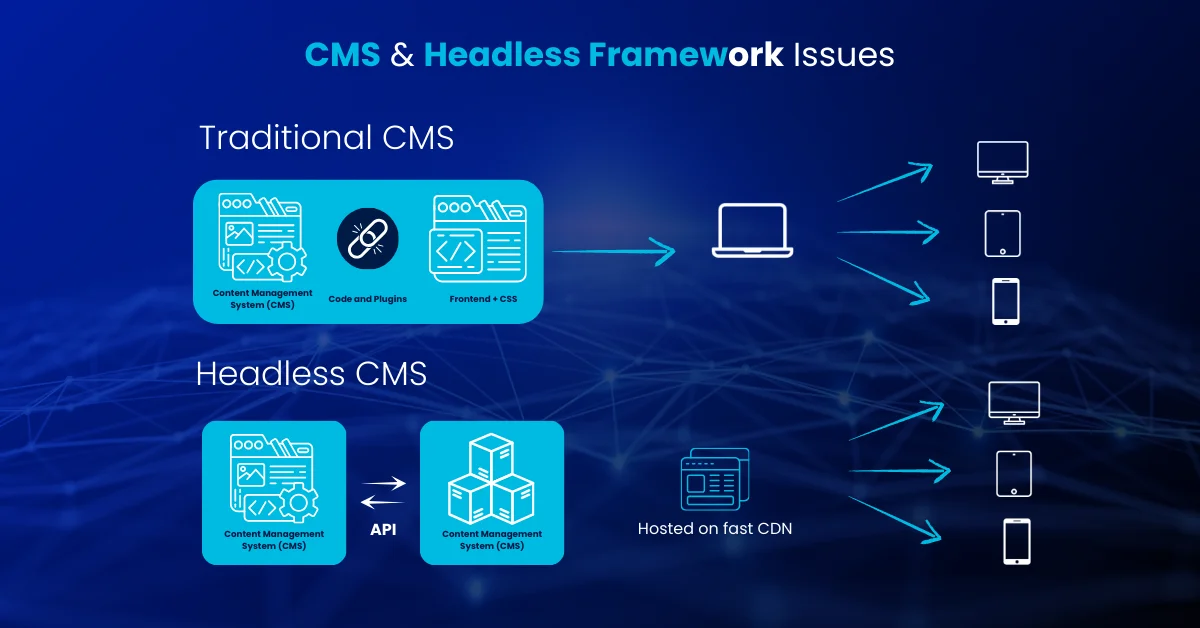
Modern web development frameworks often introduce complex H1 problems that standard audits miss. Here is what to look for in each major platform.
WordPress
Theme Auto-Assignment:Most WordPress themes automatically wrap the page or post title in an H1. Plugins like Yoast SEO and RankMath allow you to rewrite the H1 independently of the page name — use this to decouple the two where needed.
Logo Conflict:Older or poorly coded themes sometimes wrap the site logo in an H1 on every page. If the main content also has an H1, every page has two. Inspect the theme’s header.php or check with Screaming Frog’s ‘Multiple H1’ filter.
Widget Headings:Sidebar and footer widgets frequently use H2 or H3 tags for labels like ‘Recent Posts’ or ‘Categories.’ These pollute the semantic outline of every page they appear on.
Shopify
Product Title Duplication:Shopify themes hard-code the product title as the H1. However, hero banners or promotional sections may also carry H1 tags, causing duplication. Audit theme templates for hard-coded heading tags in Liquid files.
Collection Pages:Ensure the collection name is the H1, not the first product in the grid. Some themes pull the first product name into an H1 position by default.
Webflow, Wix & Squarespace
Hidden Headings:Visual builders allow users to drag and drop text elements. It is easy to accidentally assign a small decorative text block as ‘Heading 1’ for visual sizing. In Webflow, check the Navigator panel. In Squarespace, check the block type in the editor. In Wix, check the Text theme settings.
Squarespace Blog Posts:Squarespace automatically assigns the H1 to blog post titles. For all other page types, heading levels must be manually assigned in the editor — a common source of missing or misconfigured H1s on static pages.
React / Next.js / Headless CMS
This is the most technically demanding area for H1 management.
Component Injection:In a component-based architecture, different developers may build the Header component and the Body component independently. If both include an H1, the final rendered page will have multiple. Audit the component library, not just the output HTML.
SSR Inconsistencies:Ensure Server-Side Rendering (SSR) serves the H1 in the initial HTML response. If the H1 is only rendered via client-side JavaScript, search bots may miss it during the initial indexing wave. Use Google Search Console’s URL Inspection tool to check what Googlebot actually sees.
Per-Route Control:In headless setups (e.g., Contentful + Next.js), ensure the content model has a dedicated H1 field that maps correctly to the frontend template and updates for each route change.
Multilingual and International SEO Considerations
When managing H1s across regions and languages, direct translation consistently fails to deliver the right search signals.
Translate by Intent, Not by Word:A ‘Mobile Phone’ in the UK is a ‘Cell Phone’ in the US. The H1 must reflect the local search vocabulary, not a literal translation of the source language keyword.
Match Page Language:The H1 language must match the declared HTML lang attribute on the page.
Hreflang Consistency:While H1s will differ across language versions, the underlying topical intent must remain consistent for hreflang tags to map correctly between pages.
Localised Spelling Modifiers:For en-us vs en-gb variants, use local spelling in the H1 (e.g., ‘Optimisation’ for UK, ‘Optimization’ for US). These are distinct search terms in each market.
Semantic HTML and Schema Markup
Reinforce your H1 structure with semantic HTML wrappers and structured data to maximise clarity for both search engines and AI systems.
Semantic HTML Tags
Wrap your main content in <article> or <section> tags. This helps search engines understand that the H1 belongs to a specific article body, distinct from the navigation, header, or sidebar.
<article>
<h1>The Future of AI Search</h1>
<p>Content goes here…</p>
</article>
Schema Markup: Align headline Property with H1
Structured data does not replace the H1, but it reinforces and validates it. Ensure the ‘headline’ property in your BlogPosting or Article schema exactly matches your H1 tag text. Mismatches between the schema headline and the visible H1 send a conflicting signal.
<script type=”application/ld+json”>
{
“@context”: “https://schema.org”,
“@type”: “BlogPosting”,
“headline”: “H1 Tag Best Practices for 2026: Optimize Headings for AI, SEO & Accessibility”,
“mainEntityOfPage”: {
“@type”: “WebPage”,
“@id”: “https://www.example.com/technical-seo/h1-tag-best-practices-2026/”
},
“description”: “Learn modern H1 best practices for SEO, AI Overviews and accessibility.”
}
</script>
Use BlogPosting instead of Article for blog content. Use TechArticle for technical documentation.
Fix Your H1 Tags Before They Limit SEO & AI Visibility
Duplicate, missing, or poorly written H1 tags weaken accessibility, confuse search engines, and reduce eligibility for AI Overviews. We audit your H1–H6 structure, fix template issues, and align headings with search intent, WCAG standards, and modern AI parsing.
Get an H1 & Heading Structure Audit →
Common Myths and Mistakes
Misunderstandings about H1 tags persist because outdated SEO checklists and CMS plugin warnings haven’t kept pace with how search engines actually work today.
Myths — Debunked with Primary Sources
MYTH: Multiple H1s trigger a ranking penalty. FALSE. In a 2017 Google Webmaster video, Google’s Martin Splitt stated multiple H1s are ‘not a problem.’ A 2019 Google Webmaster Hangout recording includes John Mueller confirming: ‘Your site is going to rank perfectly fine with no H1 tags or with five H1 tags.’ Multiple H1s are poor practice for accessibility, but not a ranking penalty.
MYTH: A page requires an H1 tag to rank. FALSE. Google’s official SEO Starter Guide does not list H1 as a requirement. Pages have ranked on page one with no H1 at all. Content quality and intent alignment are the decisive factors.
MYTH: The keyword must be the first word in the H1. FALSE. Placing keywords near the start of the H1 is helpful, but Google’s language models understand context a keyword mid-sentence is recognised as clearly as one in first position.
MYTH: Changing the H1 yields instant rankings improvement. FALSE. It is one signal among hundreds. H1 improvements contribute to incremental gains, not overnight jumps especially on established pages with existing ranking history.
|
📌 Source Reference Google’s official position on headings is available in the Google Search Central SEO Starter Guide at developers.google.com/search/docs/fundamentals/seo-starter-guidea primary source that should be referenced when auditing H1 requirements against tool warnings. |
Mistakes to Avoid
Styling Misuse:Using H2s or H3s for the main title because the H1 font size was ‘too big’ in the CSS. Fix the CSS never demote heading levels for visual reasons.
Skipping Levels:Moving from H1 to H4 purely for visual reasons. This breaks the document outline and creates WCAG accessibility violations.
Keyword Stuffing:Writing unnatural headings that degrade trust and readability for the sake of keyword frequency.
Mixed Topics in One H1:Attempting to cover two distinct entities in one H1 (e.g., ‘Plumbing Services and Web Design’). Each page should have one clear topic split pages where necessary.
Non-Unique H1s:Using identical or near-identical H1s across multiple pages, creating cannibalisation risk and providing no differentiation signal to search engines.
Ignoring H1s on Non-Blog Pages:Homepage, about, service, and contact pages are frequently left with placeholder or missing H1s while all attention goes to blog posts.
Reusing the same H1 text across service, category, or paginated pages creates SEO conflicts and is a common cause of keyword cannibalization, especially on large or template-driven sites.
Turn Your Content Structure into a Competitive Advantage
In 2026, ranking is not just about content volume it is about clean semantic architecture. We help businesses design and optimise heading hierarchies that improve crawl clarity, AI interpretation, featured snippet eligibility, and accessibility compliance. From single-page audits to full-site structural restructuring, we ensure your H1–H6 framework supports real search visibility and long-term scalability.
Book a Structure & SEO Review →
Mini Case Study: B2B SaaS Headless CMS H1 Fix
| Level | Generic (Weak) | Keyword-Optimized (Strong) |
|---|---|---|
| H1 | A Guide to Headings | HTML Heading Hierarchy: How to Structure H1–H6 for SEO |
| H2 | Why They Matter | Why Heading Structure Matters for SEO and AI in 2026 |
| H2 | Mistakes | Common Heading Structure Mistakes to Avoid |
| H3 | Accessibility | How Do Heading Tags Improve Web Accessibility? |
| H3 | Audit Info | How to Audit Your Website’s Heading Structure (Step-by-Step) |
To demonstrate the impact of H1 hygiene, we reviewed a B2B SaaS site — anonymised here as Client A.
The Problem
Client A used a headless CMS (Contentful) connected to a Next.js frontend. An H1 tag was hard-coded into a reusable hero component shared across all blog post templates. This caused every blog post to output two H1s:
H1 #1 (hero component): ‘Build Better Software’ a generic marketing slogan appearing on every post
H1 #2 (article content): The actual article title, which often did not align with the title tag targeting
The practical result was that Googlebot was receiving a strong ‘Build Better Software’ H1 signal on every single blog URL overriding the actual article topic for indexing purposes.
The Fix
Audited the React component library and identified the hero component as the source of the duplicate H1.
Replaced the H1 tag in the hero component with a styled <div> — preserving the visual appearance while removing the semantic signal.
Rewrote all article H1s to match the high-intent search queries from the title tag, using natural language and title case.
Before fix example: H1 = ‘Build Better Software’ | Title = ‘How to Reduce SaaS Churn Rate in 2026’
After fix example: H1 = ‘How to Reduce SaaS Churn Rate: Proven Strategies for 2026’ | Title = ‘How to Reduce SaaS Churn Rate in 2026 | Client A Blog’
The Result
Within four weeks of deployment, Client A recorded a 14% increase in organic traffic to the blog section and began appearing more frequently for long-tail ‘how to’ queries where heading clarity directly improved passage matching in Google’s AI-powered indexing.
|
Key Takeaway The improvement came not from adding more keywords but from removing structural noise (the duplicate hero H1) and aligning the remaining H1 with documented search intent. One structural fix, measurable outcome. |
Summary: H1 Best Practices for 2026
H1 tags will not transform rankings overnight. But in 2026, poor heading structure is a structural liability. Clear hierarchy, semantic integrity, unique H1s across every URL, and AI-ready formatting are now baseline technical standards not advanced optimisations.
If your templates inject duplicate H1s, if your H1s don’t reflect documented search intent, or if your headings are written for keyword density rather than human readers, your content is structurally weak regardless of how well it is written.
|
Principle |
In Practice |
|
One H1 per URL |
Single, unambiguous topic signal for search engines and screen readers |
|
Unique across the site |
No duplicate H1 text on separate URLs — prevents cannibalisation |
|
Write for humans first |
Natural, descriptive language outperforms keyword engineering |
|
Align with search intent |
H1 reflects the user’s reason for visiting, not just a keyword match |
|
Align with title tag |
Same message, different optimisation — title for CTR, H1 for on-page clarity |
|
Title case |
Professional, scannable, and conventional for editorial headings |
|
50–60 characters |
Mobile-readable, above-the-fold, fallback-safe |
|
SSR-rendered |
H1 present in initial HTML response — not dependent on client-side JS |
Weak H1 tags quietly limit rankings, accessibility, and AI Overviews.
Duplicate or missing H1s, skipped heading levels, template-injected errors, and keyword-stuffed titles confuse search engines, AI systems, and screen readers. We audit and restructure your H1–H6 hierarchy to align with search intent, WCAG standards, SSR requirements, and modern AI parsing — strengthening your technical SEO foundation for 2026 and beyond.
Frequently asked questions
The H1 and title tag should be thematically consistent but do not need to be identical. The title tag is optimised for click-through rate in search results and should be concise (50–60 characters). The H1 can be slightly more descriptive since it is for users already on the page. Note that Google sometimes uses the H1 as the SERP title if it determines the H1 better matches the query.
Yes. AI models use the H1 to identify the main entity or concept of the document. A clear, descriptive H1 improves the likelihood of your content being parsed correctly and cited in AI-generated answers. Combined with question-format H2s and H3s, a strong H1 significantly improves passage extraction and AI Overview eligibility.
The ideal length for an H1 tag is between 50 and 60 characters. This ensures readability on mobile devices, typically fits above the fold without causing layout shift, and reduces the risk of Google overriding the H1 text when using it as a fallback SERP title.
Yes. Duplicate H1s across multiple pages create keyword cannibalisation risk, where Google struggles to determine which page to rank for a given query. Use Screaming Frog's 'Duplicate H1' filter or a site audit tool to identify and resolve same-text H1s across URLs.
The title tag lives in the <head> section of your HTML invisible on the page, it appears in the browser tab and Google search results. The H1 lives in the <body> and is the main heading visible to users on the page. Both should contain your primary keyword but serve different audiences: the title tag targets users deciding whether to click; the H1 targets users who have already arrived.
No. Most pages only need H1 through H3. You should only use a heading level when the content genuinely requires that level of subdivision. Using H4–H6 to add visual variety without a structural reason creates unnecessary complexity in the document outline and provides no additional SEO or accessibility benefit.
Facebook LinkedIn Threads Pinterest

Written by
Ali Hamza
Marketing strategist
Ali Hamza is an SEO specialist and digital marketer with 7+ years of experience in SEO, content strategy, WordPress, and online growth marketing. He shares practical insights and industry-based strategies focused on improving search visibility, user experience, and long-term organic growth.