
Ecommerce App Development: Features, Costs, Timelines, and Technical Requirements for 2026
E-Commerce App development
Ali Hamza
Quick Answer: What Does Ecommerce App Development Actually Involve? Ecommerce app development is the process of designing, building, testing, and launching a digital storefront with all the features your customers need to discover products, complete purchases, and manage their orders. It involves decisions across three dimensions: which features to build, which technology stack and architecture to use, and whether to build on a platform like Shopify, work with an agency using a framework like React or Flutter, or invest in a fully custom solution. Costs range from a few thousand dollars for a basic platform setup to over two hundred thousand dollars for a custom enterprise build. Timelines run from four weeks to twelve months depending on scope and approach. |
Building an ecommerce app is one of the most consequential technical investments a business can make. Get it right and you have a scalable, high-converting sales machine that compounds in value as your customer base grows. Get it wrong and you spend the next two years retrofitting, rebuilding, and explaining to your customers why basic things like checkout and search do not work properly.
The problem is that most guides about ecommerce app development are written either by developers who care primarily about technology decisions, or by platform vendors who want to steer you toward their product. What is usually missing is an honest, business-first breakdown of what you actually need to build, what it will cost, how long it will take, and what decisions you will face along the way.
This guide is the practical resource that covers all of it. We go through the full development feature set that makes a production-grade ecommerce app, the three main build approaches and what each costs across every major feature area, a realistic phase-by-phase development timeline, the technical requirements that are most commonly underestimated, the hidden costs that show up after launch, and the questions you should ask before writing a single line of code.
This is Cluster 3 in our full ecommerce app features guide. If you have not already reviewed which features your app needs to have, read the complete ecommerce app features checklist in Cluster 2 before diving into the development decisions here.
$8K minimum viable ecommerce app cost | $180K average custom enterprise build cost | 16 wks average time from kickoff to launch | 62% of builds exceed original budget |
Sources: Clutch.co Developer Survey 2024, GoodFirms Ecommerce Report, Statista Development Cost Index 2025
1. The Three Build Approaches: Platform, Agency, Custom
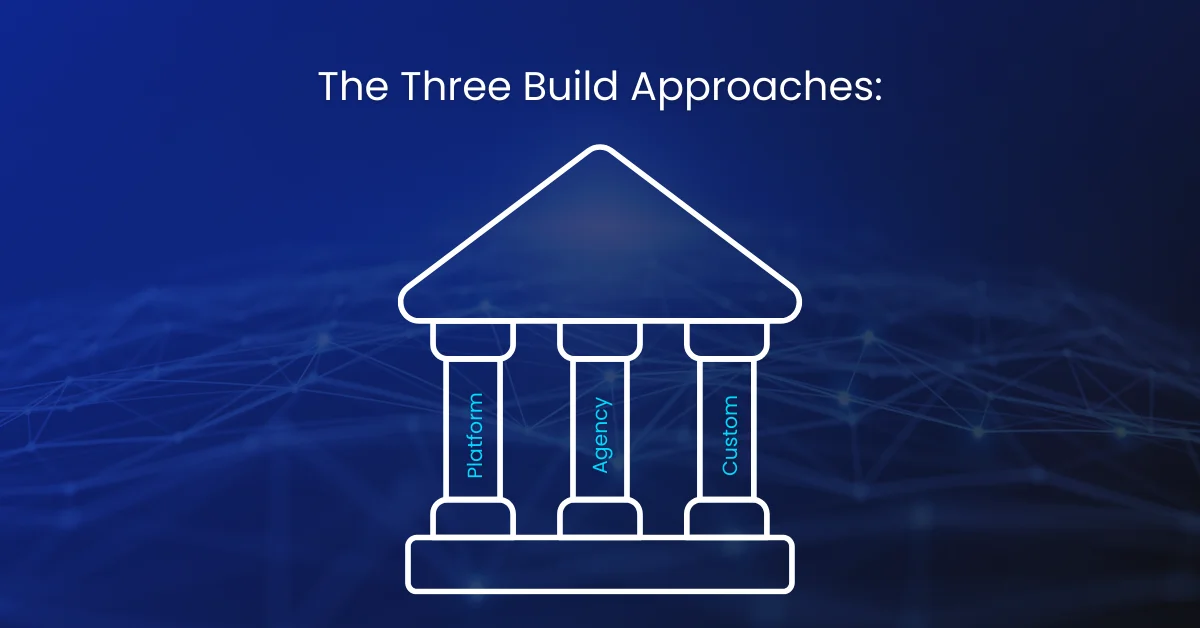
Before you talk about features, technology, or timelines, you need to make the most fundamental development decision: how are you going to build this thing? There are three viable paths, and the right one depends on your budget, your timeline, the uniqueness of your requirements, and how much technical debt you are willing to carry.
Approach 1: SaaS Platform Build (Shopify, BigCommerce, WooCommerce)
Building on an established ecommerce platform means you are renting a foundation that already has the core features built in: product catalog, cart, checkout, payment processing, order management, and basic analytics. You configure and customize rather than build from scratch.
This is the fastest and most cost-effective path for most businesses. Shopify alone powers over four million stores precisely because it removes the complexity of building core ecommerce infrastructure. The trade-offs are real though. You operate within the platform’s constraints, pay ongoing subscription and transaction fees, and have limited control over the underlying code and database.
- Best for: businesses wanting to launch quickly, early-stage founders, stores with standard feature requirements
- Development timeline: 4 to 12 weeks for a complete store with custom design and basic app integrations
- Cost range: $3,000 to $40,000 in development fees plus $29 to $299 per month in platform fees
- Technical flexibility: moderate on Shopify/BigCommerce, high on WooCommerce
- Long-term risk: platform lock-in, rising transaction fees at scale, limits on custom functionality
Approach 2: Agency Build on an Open Framework
Working with a development agency to build a custom frontend on top of an open-source framework or headless commerce backend gives you significantly more flexibility than a platform build while keeping development costs below a fully bespoke solution. Common stacks include Next.js or Nuxt.js frontends connected to a headless Shopify, Medusa.js, or Commerce.js backend.
This approach suits businesses that have specific design or UX requirements that platform themes cannot satisfy, or that need custom features not available through platform apps. The agency handles architecture, development, and initial configuration. Your team takes over maintenance and evolution after launch.
- Best for: mid-market retailers with specific UX requirements, businesses needing custom features beyond platform capabilities
- Development timeline: 12 to 24 weeks depending on scope and design complexity
- Cost range: $25,000 to $120,000 depending on feature scope and agency location
- Technical flexibility: high, full control over frontend and significant control over backend
- Long-term risk: dependency on agency for major changes, higher maintenance cost than platform builds
Approach 3: Fully Custom Build
A fully custom ecommerce application means building the entire system from scratch: your own database schema, your own API layer, your own admin interface, your own customer-facing application. Every feature is built exactly to your specification. Nothing is off-the-shelf.
This is the most expensive, slowest, and highest-risk approach, but it is also the most powerful for businesses with genuinely unique requirements. If your business model requires functionality that no platform or framework can support, or if your transaction volume makes platform fees prohibitively expensive, custom may be the right answer.
- Best for: enterprise retailers, marketplaces, businesses with unique product or checkout flows, high-volume stores where platform fees outweigh development cost
- Development timeline: 6 to 18 months for a production-grade application
- Cost range: $80,000 to $300,000 or more for initial build
- Technical flexibility: unlimited
- Long-term risk: high maintenance cost, dependency on internal or retained engineering team
The Hybrid Reality Many successful ecommerce businesses use a hybrid approach: starting on Shopify to get to market quickly and validate demand, then migrating to a headless or custom build once they have enough revenue to justify the investment. There is no shame in this. Getting to market matters more than having a perfect architecture from day one. |
Planning an Ecommerce App Build?
Get expert guidance on features, development approach, costs, timelines, and technical requirements before you invest in your ecommerce app.
Discuss Your App Build →2. Core Technical Features Every Ecommerce App Needs
Regardless of which build approach you choose, every production ecommerce application needs a set of core technical capabilities. These are not the customer-facing features your shoppers see. They are the underlying systems that make those visible features possible, reliable, and scalable.
Product and Catalog Data Model
The way your product data is structured in the database determines what your catalog can and cannot do at every level of the stack. A poorly designed product schema that forces every product to have the same set of attributes makes it nearly impossible to add categories with different data requirements later without a painful migration.
A well-designed catalog data model uses flexible attribute schemas that allow different product types to have different fields. A shoe needs size and width. A laptop needs RAM, storage, and processor. A subscription product needs billing interval and trial period. Your schema needs to support all of these without becoming a maintenance nightmare.
- Product entity with flexible custom attribute support per product type
- Variant model supporting multi-dimensional variants: size plus color plus material
- Inventory entity with quantity tracking per SKU per location
- Pricing model supporting base price, sale price, volume pricing, and customer-group pricing
- Media entity supporting multiple images, videos, and 3D files per product
- Category taxonomy with hierarchical structure and many-to-many product assignment
- Search index synchronization keeping your search engine in sync with catalog changes in real time
Order and Transaction Data Model
Your order data model is the financial record of your business. It needs to capture every aspect of every transaction with enough detail to support customer service, accounting, returns processing, fulfillment routing, and analytics. An under-specified order schema creates gaps that are painful to fill retroactively.
- Order entity capturing customer, items, pricing, tax, shipping, and payment method at time of purchase
- Order line items with snapshot pricing to preserve historical accuracy even when products change
- Payment transaction entity linking to gateway references with status and amount captured
- Fulfillment entity tracking shipment creation, carrier assignment, and tracking number
- Return entity with reason codes, condition assessment, and refund amount
- Order event log with timestamped status changes for audit trail and support
Customer and Identity System
Your customer data system is the foundation of every personalization, retention, and marketing capability your app will have. How you store, protect, and leverage customer data determines what is possible downstream with email marketing, loyalty programs, AI personalization, and customer lifetime value analysis.
- Customer profile with contact, demographic, and preference data
- Authentication system with password hashing, session management, and optional OAuth
- Address book with multiple saved addresses and default shipping selection
- Order history linked to customer profile with full order detail access
- Customer segmentation tags and attributes for marketing platform integration
- GDPR-compliant consent tracking with timestamped records of opt-in and opt-out events
- Customer data export and deletion capability for data subject request compliance
3. Frontend Development Features and Technical Requirements
The frontend is what your customers actually experience. Every interaction they have with your brand happens through the interface your frontend delivers. The technical decisions you make about how the frontend is built have direct implications for page load speed, SEO capability, mobile experience quality, and how quickly your team can ship new features.
Technology Stack Options for Ecommerce Frontends
Technology | Type | Performance | SEO | Best For |
|---|---|---|---|---|
Next.js (React) | SSR / SSG / ISR | Excellent | Excellent | Headless builds, high-performance stores, custom UX |
Nuxt.js (Vue) | SSR / SSG | Excellent | Excellent | Teams with Vue.js experience, content-heavy stores |
Remix (React) | SSR | Very Good | Very Good | Full-stack apps, form-heavy checkout flows |
Gatsby | SSG | Very Good | Very Good | Content-heavy stores with mostly static pages |
Shopify Liquid | Template Engine | Good | Good | Standard Shopify builds, rapid theme customization |
React Native | Native Mobile | Excellent | N/A (app) | Native iOS and Android mobile apps |
Flutter | Native Mobile | Excellent | N/A (app) | Cross-platform native apps with single codebase |
PWA (any framework) | Web-App Hybrid | Very Good | Very Good | Mobile web experience with app-like features |
Core Frontend Feature Requirements
Rendering Strategy: SSR, SSG, and ISR
How your pages are rendered has a massive impact on SEO and performance. Server-side rendering (SSR) generates pages on the server for every request, ensuring content is always fresh and crawlable. Static site generation (SSG) pre-builds pages at deploy time for maximum speed. Incremental Static Regeneration (ISR) in Next.js combines the two: pages are statically built but automatically refreshed on a schedule.
For ecommerce, the best practice is to use SSG or ISR for product and category pages with static content, and SSR for pages with dynamic personalized content like the account dashboard and cart. This gives you the SEO and performance benefits of static rendering on your highest-traffic pages while keeping dynamic pages fresh.
Component Architecture and Design System
A component-based UI architecture where every UI element is a reusable, independently testable React or Vue component is the modern standard for ecommerce frontend development. Building on a design system from the start, whether a custom one or a foundation like Radix UI, Headless UI, or Shadcn, dramatically reduces development time for new features and ensures visual consistency across every page.
- Atomic design structure: atoms, molecules, organisms, templates, pages
- Storybook or equivalent for component documentation and visual regression testing
- Theme configuration with centralized design tokens for colors, typography, and spacing
- Dark mode support via CSS custom properties and system preference detection
State Management for Cart and Session
Ecommerce applications have complex client-side state requirements. Cart contents, user authentication status, recently viewed products, applied filters, wishlist items, and checkout progress all need to be managed consistently across page navigations and browser sessions.
- Cart state persisted in localStorage or server-side session for cross-device consistency
- Authentication state managed via secure HTTP-only cookies or JWT tokens
- URL-driven filter state for shareable and crawlable filtered category pages
- Optimistic UI updates for cart add and wishlist save so interactions feel instant
Performance Optimization Features
Frontend performance is a development feature, not an afterthought. The decisions your development team makes about images, fonts, JavaScript bundles, and third-party scripts during development directly determine your Core Web Vitals scores at launch.
- Next.js Image component or equivalent for automatic WebP conversion and lazy loading
- Font optimization with font-display swap and subsetting to reduce web font file size
- JavaScript bundle analysis and code splitting to eliminate unused code from initial load
- Third-party script performance audit: tag managers, chat widgets, and analytics scripts are common performance killers
- Critical CSS inlining for above-the-fold content to eliminate render-blocking stylesheets
4. Backend Architecture and API Development Requirements
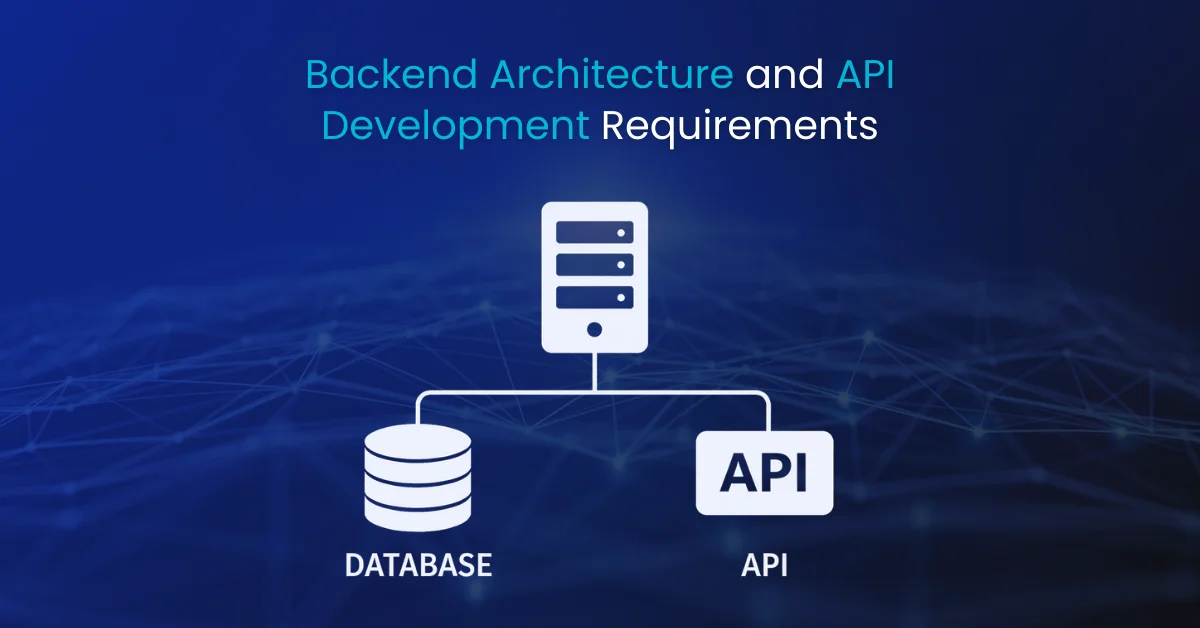
The backend is the engine room of your ecommerce app. It handles every business logic decision, every data persistence operation, every payment transaction, and every communication with third-party services. Backend architecture decisions made early in development are extremely expensive to undo later, so getting them right from the start is critical.
API Design: REST vs GraphQL for Ecommerce
RESTful API Established standard, wide tooling support Simple caching at the HTTP layer Easier to understand for most developers Well suited for mobile apps and third-party integrations Over-fetching: returns full resource even if only one field needed Multiple round trips needed for complex data requirements | GraphQL API Single endpoint with flexible query specification Fetch exactly the fields needed, nothing more Single request can retrieve complex nested data Excellent for frontend teams who control their own data needs More complex caching requirements Steeper learning curve for teams new to the paradigm |
Shopify uses GraphQL as its primary API for headless builds. Medusa.js and most custom builds use REST. The right choice depends on your team’s experience and your frontend’s data requirements. Either approach can deliver excellent results when implemented thoughtfully.
Database Selection and Design
Your database is where everything your ecommerce app knows lives. The database you choose and how you design its schema affects everything from query performance to your ability to run analytics to how easily you can migrate to a different architecture in the future.
Database Type | Examples | Best For | Ecommerce Use Cases |
|---|---|---|---|
Relational (SQL) | PostgreSQL, MySQL | Structured transactional data | Orders, customers, inventory, payments |
Document (NoSQL) | MongoDB, Firestore | Flexible schema, catalog data | Product attributes, content, logs |
Search Engine | Elasticsearch, Algolia | Fast full-text search | Product search, autocomplete, filters |
Key-Value Cache | Redis, Memcached | Session storage, rate limiting | Cart sessions, API caching, rate limits |
Time-Series | InfluxDB, TimescaleDB | Analytics and metrics | Sales dashboards, traffic analytics |
Most production ecommerce backends use PostgreSQL as the primary database for transactional data, with Redis for session caching and Algolia or Elasticsearch for product search. This combination covers the performance and flexibility requirements of the majority of ecommerce use cases.
Authentication and Authorization Architecture
Your authentication system needs to handle multiple user types with different permission levels: customers, customer service agents, store managers, catalog managers, and developers. Each role should have access to exactly the resources they need and nothing more.
- JWT or session-based authentication for customer-facing API endpoints
- OAuth 2.0 integration for social login with Google, Facebook, and Apple
- Role-based access control (RBAC) for the admin interface with granular permission assignment
- API key management for third-party integrations with scoped permissions
- Rate limiting per endpoint and per consumer to prevent abuse and DDoS exposure
- Audit logging of all admin actions for security and compliance
Scalability and Infrastructure Architecture
Building for scalability from day one does not mean over-engineering a small store. It means making architectural decisions that do not create hard ceilings on growth. A monolithic application that cannot be horizontally scaled, or a database schema that cannot be sharded, becomes a complete rebuild project when you hit traffic limits.
- Stateless API design allowing horizontal scaling by adding server instances
- CDN configuration for static assets, images, and edge-cached API responses
- Queue-based job processing for async tasks: email sending, report generation, inventory sync
- Database connection pooling to handle traffic spikes without exhausting connections
- Health check endpoints and auto-restart policies for zero-downtime deployments
- Infrastructure as code using Terraform or Pulumi for reproducible environment management
5. Third-Party Integrations and the API Ecosystem
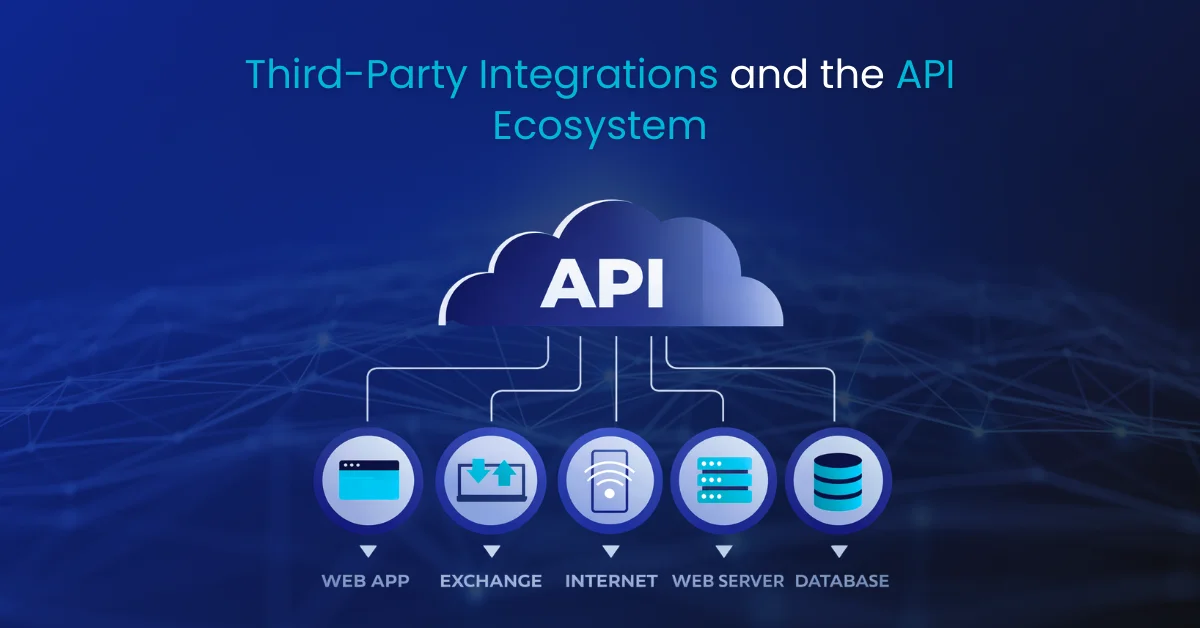
No ecommerce app is an island. A production ecommerce application integrates with dozens of external services: payment gateways, shipping carriers, email platforms, analytics tools, customer support systems, inventory management, accounting software, and more. The quality and reliability of these integrations have a direct and constant impact on your operations.
Critical Integration Categories
Category | Leading Options | Integration Priority | Data Flow Direction |
|---|---|---|---|
Payment Gateways | Stripe, PayPal, Braintree, Adyen | Critical | Bidirectional: payment initiation + webhook events |
Shipping and Logistics | ShipBob, EasyPost, ShipStation, Aftership | Critical | Outbound: create shipments, Inbound: tracking events |
Email Marketing | Klaviyo, Mailchimp, ActiveCampaign | Critical | Outbound: customer events, Inbound: campaign triggers |
Customer Support | Zendesk, Gorgias, Freshdesk, Intercom | High | Bidirectional: order context + support tickets |
Search | Algolia, Elasticsearch, Typesense | High | Outbound: catalog sync, Inbound: search queries |
Analytics | Google Analytics 4, Mixpanel, Heap | High | Outbound: event tracking via client-side and server-side |
ERP / Accounting | QuickBooks, Xero, NetSuite, SAP | Medium | Bidirectional: order sync + financial reconciliation |
Inventory Management | Cin7, Brightpearl, Linnworks | Medium | Bidirectional: stock sync + purchase orders |
Loyalty Programs | Yotpo, LoyaltyLion, Smile.io | Medium | Bidirectional: points events + redemption requests |
Reviews | Yotpo, Judge.me, Stamped.io, Trustpilot | Medium | Bidirectional: review requests + review data |
Tax Compliance | TaxJar, Avalara, Vertex | High | Outbound: order data, Inbound: tax calculation |
Fraud Prevention | Signifyd, Riskified, Kount | High | Outbound: order data, Inbound: decision + guarantee |
Webhook Architecture for Real-Time Integration
Webhooks are the mechanism by which external services notify your app when something happens. When Stripe processes a payment, it sends a webhook. When a carrier marks an order as delivered, it sends a webhook. When a customer unsubscribes from your email list, your email platform sends a webhook.
A robust webhook handling architecture is critical for operational reliability. You need to receive webhooks reliably, acknowledge them quickly to prevent timeout failures, process them asynchronously to avoid blocking, handle duplicate delivery gracefully, and log every event for debugging.
- Dedicated webhook endpoint per integration with event-type routing
- Immediate acknowledgment with async queue-based processing to prevent gateway timeouts
- Idempotency key tracking to safely handle duplicate webhook delivery
- Dead letter queue for failed processing attempts with automated retry logic
- Webhook event log with full payload storage for debugging and replay capability
API Rate Limiting and Resilience Patterns
Third-party APIs have rate limits, experience downtime, and occasionally return unexpected errors. Your integration code needs to handle all of these gracefully. An ecommerce app that breaks when Stripe returns an unexpected error code, or that crashes when Algolia is briefly unavailable, is not production-ready.
- Exponential backoff retry logic for transient API failures
- Circuit breaker pattern to stop hammering a failing service and allow it to recover
- Graceful degradation: if the recommendation API is down, show best sellers instead of a broken page
- API response caching where appropriate to reduce external call volume and latency
- Centralized API client library with built-in logging, retry, and timeout configuration
Planning to Build an Ecommerce App?
Devtrios helps businesses plan and develop scalable ecommerce apps — from choosing the right platform or tech stack to building high-performance storefronts with modern frameworks like React, Next.js, and Flutter.
Discuss Your Ecommerce App →6. Feature Cost Breakdown: Platform vs Agency vs Custom Build
Cost estimates in ecommerce development vary enormously depending on geography, team composition, feature complexity, and design requirements. The ranges below represent realistic market rates based on aggregated data from development agencies and freelancer platforms. They assume professional-quality implementation, not the cheapest available option.
How to Read This Table SaaS Platform costs include plugin/app fees and basic developer configuration. Agency Build costs represent a professional agency’s implementation fee for the feature. Custom Build costs are engineering hours at a blended rate of $100 to $150 per hour for a North American or Western European team. |
Feature / Capability | SaaS Platform | Agency Build | Custom / Enterprise | Priority |
|---|---|---|---|---|
Product Catalog and Variants | $0 (native) | $2,000-$5,000 | $8,000-$20,000 | Critical |
Advanced Search and Filters | $100-$300/mo | $4,000-$10,000 | $15,000-$35,000 | Critical |
Shopping Cart and Session | $0 (native) | $3,000-$6,000 | $8,000-$15,000 | Critical |
Checkout Flow (1-page) | $500-$2,000 | $5,000-$12,000 | $15,000-$30,000 | Critical |
Payment Gateway Integration | $0 (native) | $2,000-$5,000 | $5,000-$15,000 | Critical |
User Auth and Accounts | $0 (native) | $3,000-$7,000 | $10,000-$20,000 | Critical |
Order Management System | $0 (native) | $5,000-$15,000 | $20,000-$50,000 | Critical |
Push Notifications | $50-$200/mo | $3,000-$8,000 | $8,000-$18,000 | High |
Email Marketing Integration | $0-$300/mo | $2,000-$5,000 | $5,000-$12,000 | Critical |
Product Reviews System | $30-$150/mo | $2,000-$5,000 | $6,000-$15,000 | High |
Wishlist Functionality | $0-$50/mo | $1,500-$3,000 | $4,000-$8,000 | Medium |
AI Recommendations Engine | $200-$800/mo | $8,000-$20,000 | $30,000-$80,000 | High |
Loyalty and Rewards | $100-$400/mo | $5,000-$12,000 | $20,000-$50,000 | Medium |
Live Chat and AI Chatbot | $50-$300/mo | $2,000-$5,000 | $10,000-$25,000 | Medium |
Analytics Dashboard | $0-$300/mo | $3,000-$8,000 | $15,000-$40,000 | High |
AR Product Visualization | Not available | $15,000-$40,000 | $40,000-$100,000 | Optional |
Social Commerce Integration | $0-$200/mo | $3,000-$8,000 | $8,000-$20,000 | Medium |
Multi-Currency/Language | $0-$200/mo | $4,000-$10,000 | $12,000-$30,000 | Medium |
Returns Management | $50-$200/mo | $3,000-$8,000 | $10,000-$25,000 | High |
Admin Interface/Dashboard | Included | $8,000-$20,000 | $25,000-$60,000 | Critical |
Total Cost Summary by Approach
Build Approach | Minimum Viable Store | Feature-Complete Store | Enterprise Grade | Annual Maintenance |
|---|---|---|---|---|
SaaS Platform (Shopify etc.) | $3,000 – $15,000 | $20,000 – $60,000 | $60,000 – $150,000 | $5,000 – $30,000 |
Agency Build (Headless) | $25,000 – $50,000 | $60,000 – $120,000 | $120,000 – $250,000 | $15,000 – $50,000 |
Fully Custom Build | $80,000 – $120,000 | $150,000 – $250,000 | $250,000 – $500,000+ | $50,000 – $150,000 |
These ranges assume a North American or Western European development team. Eastern European and South Asian agencies typically charge 40 to 60 percent of these rates for comparable quality, though vetting and project management require additional diligence.
7. Development Timeline: A Realistic Phase-by-Phase Breakdown
Every ecommerce development project goes through the same fundamental phases regardless of approach or scale. What changes is how long each phase takes and what happens within it. The timelines below assume a dedicated development team of two to four people working full time on the project.
Phase 1 — Discovery and Architecture Planning (Weeks 1 to 3) |
- Stakeholder interviews to document business requirements, integrations needed, and success metrics
- Technical audit of any existing systems that need to connect to or migrate into the new app
- Platform or architecture decision finalized with documented rationale and trade-off analysis
- Third-party integration list finalized with API documentation reviewed for each
- Data model design: product schema, order schema, customer schema drafted and reviewed
- Development environment setup, repository structure, CI/CD pipeline configured
- Design system and component library selection or creation initiated
- Sprint plan and milestone schedule created with realistic buffer for scope discovery
Phase 2 — Design and UX Prototyping (Weeks 2 to 6) |
- Information architecture: site map, navigation structure, and user flow diagrams
- Wireframes for all core page types: home, category, product, cart, checkout, account, order status
- High-fidelity design mockups in Figma or equivalent for all page templates
- Mobile-first responsive designs reviewed on actual device sizes before development begins
- Design system documentation: color palette, typography scale, spacing system, component library
- Interactive prototype for checkout flow and key user journeys for stakeholder review
- Accessibility audit of designs against WCAG 2.1 AA standards before development handoff
Phase 3 — Core Development Sprint (Weeks 5 to 14) |
- Backend API development: product, order, customer, and auth endpoints with test coverage
- Database schema implementation and seed data for development environment
- Frontend component development following design system and component library specifications
- Core page templates built and connected to API: home, category, product, search results
- Cart and checkout flow developed with full payment gateway integration and error handling
- User account system: registration, login, profile management, order history
- Admin interface for catalog management, order processing, and customer management
- Third-party integrations implemented and tested: email, search, analytics, shipping
- Push notification system configured with behavioral triggers and opt-in flow
Phase 4 — QA, Performance, and Security Testing (Weeks 13 to 18) |
- Functional testing across all user journeys on desktop and mobile devices
- Cross-browser testing: Chrome, Safari, Firefox, and Edge on multiple OS versions
- Payment flow testing using gateway sandbox environments with all supported payment methods
- Performance testing: Core Web Vitals benchmarking and optimization sprint
- Load testing to verify behavior under peak traffic conditions matching expected launch volume
- Security penetration testing focused on authentication, payment, and admin access
- Accessibility testing against WCAG 2.1 AA using automated tools and manual screen reader testing
- SEO technical audit: crawlability, schema markup validation, sitemap, and canonical tags
- Data migration testing if moving from an existing platform with customer or order history
Phase 5 — Launch and Post-Launch Stabilization (Weeks 17 to 20) |
- Staged rollout: soft launch to internal team and beta users for final real-environment testing
- DNS migration and SSL certificate configuration
- CDN configuration and cache warming for critical pages
- Analytics and monitoring setup: error tracking, uptime monitoring, alerting
- Launch day standby: development team on call for first 48 hours post-launch
- First-week monitoring of error rates, conversion funnel, Core Web Vitals, and server performance
- Post-launch punch list: collection of minor issues found in production for immediate resolution
- Handover documentation: technical architecture, deployment procedures, maintenance runbook
Timeline Reality Check The phases above overlap in practice. Design work continues while early backend development starts. Integration testing begins before all features are complete. Plan for the critical path, not sequential phases, and build 20 percent buffer into every milestone. Sixty-two percent of ecommerce development projects run over timeline, and the most common reason is underestimating integration complexity, not feature development. |
8. Hidden Costs That Show Up After Launch
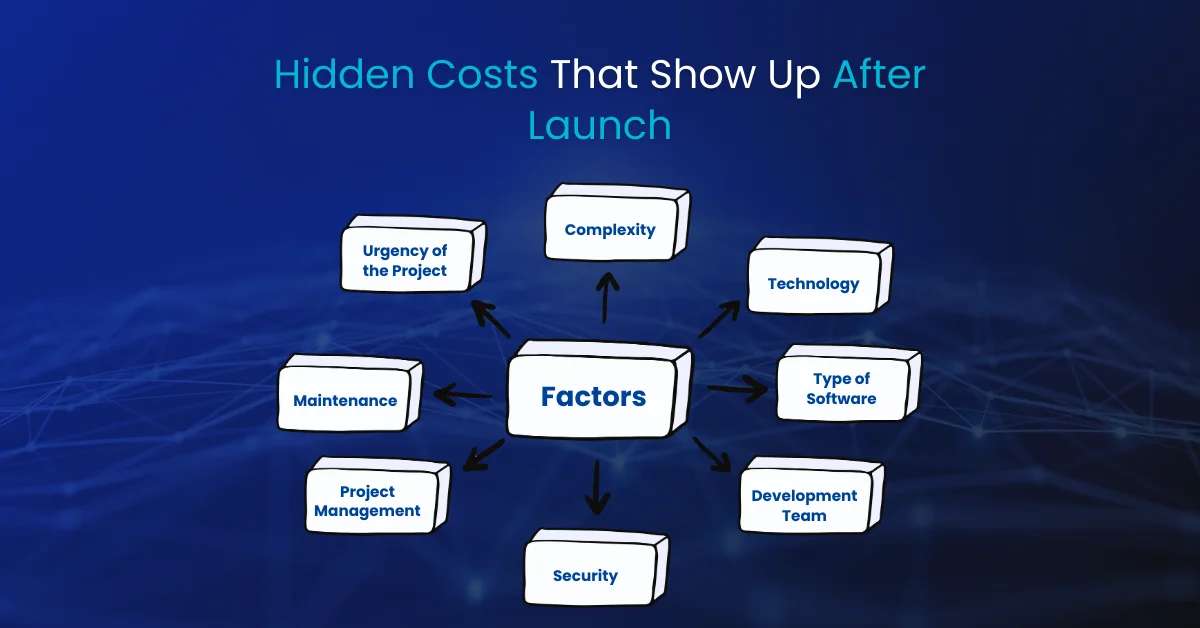
The development invoice is just the beginning of your ecommerce technology spend. Most businesses significantly underestimate the ongoing costs of running a production ecommerce application. These are the categories that catch founders and finance teams off guard.
Platform and Infrastructure Costs
Cost Category | Platform Build | Agency/Headless Build | Custom Build | Frequency |
|---|---|---|---|---|
Platform Subscription | $29-$299/mo | $0 (if fully custom) | $0 | Monthly |
Transaction Fees | 0.5%-2.0% per sale | 0% (own payment gateway) | 0% | Per transaction |
App/Plugin Fees | $200-$1,500/mo | $100-$500/mo | $0-$300/mo | Monthly |
Hosting / Cloud Infra | Included in platform | $200-$1,500/mo | $500-$5,000/mo | Monthly |
CDN Costs | Included | $50-$500/mo | $100-$1,000/mo | Monthly |
Search Service | $100-$500/mo | $100-$500/mo | $100-$500/mo | Monthly |
Email Platform | $100-$1,000/mo | $100-$1,000/mo | $100-$1,000/mo | Monthly |
Analytics Tools | $0-$500/mo | $0-$500/mo | $0-$500/mo | Monthly |
SSL Certificate | Included | $0-$100/yr | $0-$100/yr | Annual |
Ongoing Development and Maintenance Costs
An ecommerce application is never finished. The moment you launch, the backlog of improvements, new features, bug fixes, security patches, and platform updates begins. Planning for ongoing development spend is not optional if you want your app to stay competitive.
- Bug fixes and technical debt: expect 10 to 15 percent of initial build cost annually for maintenance
- Feature development: businesses that invest in continuous feature improvement consistently outgrow those that launch and leave the app static
- Platform or dependency updates: Shopify, Next.js, and your chosen frameworks release breaking changes that require developer time to handle
- Security patches: vulnerabilities in dependencies require prompt attention; a retainer with a developer or security firm pays for itself the first time you avoid a breach
- Performance monitoring and optimization: Core Web Vitals scores degrade over time as new features add page weight
Operational and People Costs
Technology is only part of the equation. Running an ecommerce business requires people to manage the platform, respond to the data it generates, and continuously improve the customer experience. These operational costs are frequently overlooked in the initial business plan.
- Ecommerce manager or platform administrator: someone who understands how to use and configure the system
- Customer service staffing: even with chatbots, ecommerce customer service scales with order volume
- Content and catalog management: keeping product listings fresh, accurate, and SEO-optimized is ongoing work
- SEO and content marketing: organic traffic is not free; it requires consistent content investment
- Analytics and CRO: someone needs to read the data, form hypotheses, and run experiments
9. Technical Requirements Checklist Before You Start Building
Most ecommerce development projects that go badly do not go badly because of technical failures. They go badly because critical decisions were not made before development started. This pre-build checklist covers the questions that need concrete answers before any development begins.
Business and Product Requirements
- Product catalog complexity documented: how many SKUs, how many variant dimensions, any unusual product types
- Fulfillment model clarified: dropship, own warehouse, third-party logistics, or a combination
- Geographic markets defined: which countries will you sell to and what local requirements do they create
- Expected traffic volume and order volume at launch and at 12-month projections
- Integration requirements list completed with API documentation reviewed for each third party
- Success metrics defined: what does a successful launch look like in measurable terms
Technical and Architectural Requirements
- Technology stack agreed: frontend framework, backend language, database, hosting environment
- Authentication strategy decided: platform native, custom JWT, or third-party identity provider
- Search strategy decided: platform native search, Algolia, or Elasticsearch
- Hosting and infrastructure environment selected and provisioned: AWS, GCP, Vercel, or platform-hosted
- CI/CD pipeline designed: how will code go from development to staging to production
- Monitoring strategy defined: what tools will you use for error tracking, uptime monitoring, and performance
- Backup and disaster recovery plan documented: how will you recover if the database is lost
Legal and Compliance Requirements
- GDPR compliance plan if selling to EU customers: cookie consent, data subject requests, DPA with processors
- CCPA compliance if selling to California residents
- PCI DSS scope assessment: tokenization-based payment integration is strongly recommended to minimize scope
- Returns policy and terms of service drafted and reviewed by legal counsel
- Accessibility requirements: WCAG 2.1 AA is legally required for some business types in some markets
- Tax compliance strategy: how will you calculate and remit sales tax or VAT across your markets
Content and Data Requirements
- Product data in a structured format ready for import or migration
- Brand guidelines and design assets available for design phase
- High-quality product photography either completed or scheduled
- Existing customer data migration plan if moving from another platform
- Historical order data migration requirements documented
- SEO redirect map prepared if migrating from an existing site with established search rankings
Final Thoughts: Build Smart, Not Just Fast
The ecommerce app development journey is genuinely complex, and no guide can replace the nuanced judgment of an experienced development team who understands your specific business. What this guide can do is make sure you go into that process with the right questions, realistic expectations about cost and timeline, and a clear understanding of where the most common mistakes happen.
Build for your current needs, but design for your future scale. Choose a platform when the platform is the right tool, and invest in custom development only when you have a specific reason why custom is the only option. Define success clearly before you start so you know when you have achieved it. And budget for the ongoing investment that a production ecommerce application requires, because launching is the beginning, not the end.
Building an Ecommerce App?
Our development team helps businesses plan and build scalable ecommerce apps from platform selection and architecture planning to high-performance web and mobile storefronts.
Talk to Our Ecommerce Experts →Frequently Asked Questions (FAQs)
How long does it take to build an ecommerce app from scratch?
What is the minimum budget to build a serious ecommerce app?
Should I build my ecommerce app on Shopify or build something custom?
How do I estimate the development cost for my specific feature requirements?
What are the most commonly underestimated development tasks in ecommerce projects?
How much should I budget for ongoing development after launch?
About This Guide
This guide is written by Ali Hamza, based on industry research, practical insights, and in-depth analysis of modern SEO reputation management strategies. The content reflects current best practices in managing online reputation, controlling SERPs, building trust, and maximizing brand visibility in 2026.
The goal of this guide is to provide accurate, actionable, and unbiased information to help businesses, marketers, and decision-makers improve their online reputation, outrank negative content, and establish a credible digital presence.
View Author Profile
15 Digital Marketing Mistakes Killing Your Business in 2026 (And How to Fix Every One)
Discover the 15 most costly digital marketing mistakes businesses make in 2026 from ignoring…
Why Hire a Digital Marketing Agency in 2026? 10 Reasons That Actually Pay Off
Thinking of hiring a digital marketing agency in 2026? Here are 10 data-backed reasons…
Top Enterprise Mobile App Development Companies in 2026: A Strategic Buyer’s Guide
Discover the top enterprise mobile app development companies in 2026. Compare capabilities, costs, security…