
Shopify vs WooCommerce vs BigCommerce vs Custom Build: The Complete Ecommerce Platform Features Comparison for 2026
E-Commerce
Ali Hamza
Quick Answer: Which Ecommerce Platform Has the Best Features? There is no single best ecommerce platform. Shopify wins on ease of use, speed to launch, and reliability. WooCommerce wins on content integration, customization flexibility, and total ownership of your data. BigCommerce wins on built-in enterprise features without transaction fees. A custom build wins on unlimited flexibility but requires the largest investment. The right platform is the one that matches your specific business requirements, technical capacity, and growth stage. This guide compares all four across 30 feature dimensions so you can make the decision with complete information. |
The platform you build your ecommerce app on is one of the most important technical decisions you will make. It shapes everything that comes after: what features you can offer your customers, how much development flexibility you have, what you pay as you scale, and how easily you can migrate if you ever need to change direction.
Most platform comparison articles are either written by platform affiliates who have a financial incentive to recommend a specific tool, or by developers who evaluate platforms through a technical lens without considering the business realities of running an ecommerce operation. This guide is neither.
We have compared Shopify, WooCommerce, BigCommerce, and custom-built ecommerce applications across thirty feature dimensions covering everything from catalog management and checkout to SEO capability, international selling, developer experience, and total cost of ownership. The goal is to give you enough real information to make the right decision for your specific situation without having to read four separate platform marketing sites and try to reconcile contradictory claims.
This is Cluster 4 of our complete ecommerce app features series. If you have not yet defined which features your app needs to have, reviewing the ecommerce app must-have features checklist in Cluster 2 will help you build a requirements list before using this comparison to select a platform.
4M+ stores on Shopify globally | 28% of all websites use WooCommerce | $0 transaction fees on BigCommerce | 3x more features in custom builds |
Sources: Shopify Annual Report 2024, W3Techs Usage Statistics, BigCommerce Platform Overview, Statista Ecommerce Platform Report 2025
1. Platform Overview: What Each One Is and Who It Is Built For
Before diving into feature comparisons, it helps to understand the fundamental philosophy behind each platform. Each was built with a specific type of user in mind, and that original design intent shapes every feature decision they have made since.
Shopify: The Commerce-First Cloud Platform
Shopify launched in 2006 when its founders could not find a good ecommerce platform to sell snowboarding equipment online, so they built one. Today it powers over four million stores worldwide and is the dominant choice for businesses from solo entrepreneurs to enterprise brands like Gymshark, Allbirds, and Heinz.
Shopify’s philosophy is that merchants should focus on selling, not on managing technology. Everything about the platform reflects this: hosting is managed for you, security patches are automatic, payment processing works out of the box, and a curated app store provides most functionality businesses need without custom development. The trade-off is that you operate within Shopify’s architecture, and when you need to do something outside that architecture, you will feel the walls.
WooCommerce: The Open-Source WordPress Extension
WooCommerce is a free, open-source ecommerce plugin for WordPress. Because WordPress powers roughly 43 percent of all websites globally, WooCommerce has grown to be the most-installed ecommerce solution in the world by pure volume, even though Shopify processes significantly more revenue.
The core WooCommerce plugin is genuinely free, but running a production ecommerce store on WooCommerce requires purchasing hosting, premium plugins for most advanced features, a premium theme, and ongoing development for customizations. The actual cost of a well-built WooCommerce store is frequently higher than people expect when they see the zero-dollar price tag.
WooCommerce’s strength is its integration with WordPress, which makes it unbeatable for content-driven ecommerce businesses where a blog, editorial content, or community features are core to the brand.
BigCommerce: The Feature-Rich Enterprise Alternative
BigCommerce positions itself as the platform for serious ecommerce businesses that have outgrown Shopify’s limitations but do not want the overhead of a custom build. It offers a notably more comprehensive built-in feature set than Shopify, charges no transaction fees on any plan, and supports enterprise-grade B2B selling features natively.
BigCommerce has a smaller market share and app ecosystem than Shopify, which means you will find fewer third-party integrations and a smaller community for troubleshooting. But what it lacks in ecosystem breadth it often makes up for in the depth of its native feature set.
Custom Build: Total Freedom, Total Responsibility
A custom ecommerce application is one where every component is built specifically for your requirements: the frontend interface, the backend API, the database schema, and all integrations. There is no platform vendor, no transaction fee, no app store dependency, and no architectural constraint that you did not choose yourself.
The price of that freedom is significant. Custom builds cost more to create, more to maintain, more to secure, and more to evolve. They are the right choice for businesses with genuinely unique requirements, very high transaction volumes where platform fees become material, or technical teams that want full control over their technology stack.
Planning an Ecommerce App Build?
Get expert guidance on features, development approach, costs, timelines, and technical requirements before you invest in your ecommerce app.
Discuss Your App Build →2. Head-to-Head: Platform Deep Dives With Pros and Cons
Here is an honest assessment of what each platform genuinely does well and where each one creates frustration for the businesses that use it. These observations come from aggregated merchant feedback, developer experience reports, and platform capability audits rather than marketing materials.
Shopify The fastest path from idea to live store. Designed for merchants who want to sell, not manage infrastructure. |
What it does well
| Where it falls short
|
Best for: Businesses that want to launch fast, prefer managed infrastructure, and have standard ecommerce requirements. Also excellent for brands that will grow to justify Shopify Plus.
WooCommerce The content commerce platform. Unbeatable for brands where editorial content and SEO are competitive advantages. |
What it does well
| Where it falls short
|
Best for: Content-driven brands with strong SEO focus, developers or technically capable founders, businesses with budget constraints at small scale, and any store where WordPress content features are core to the value proposition.
BigCommerce The enterprise-capable platform that refuses to charge transaction fees. Deep native features with a growing ecosystem. |
What it does well
| Where it falls short
|
Best for: Mid-market and enterprise brands that want powerful native features without transaction fees, B2B or wholesale sellers, and businesses that have maxed out Shopify Basic but cannot justify Shopify Plus pricing.
Custom Build Total control, total responsibility. Built exactly to your specification with no architectural compromise. |
What it does well
| Where it falls short
|
Best for: Enterprise retailers with unique requirements, high-volume stores where platform fees are material, businesses needing deep integration with proprietary systems, and well-funded startups with experienced technical leadership.
3. Master Feature Comparison: 30 Dimensions Across All Four Platforms
The scorecard below rates each platform across thirty feature dimensions on a scale of one to five. Ratings reflect both the quality of native capabilities and the practical ease of achieving the feature, including time, cost, and technical skill required.
Feature Dimension | Shopify | WooCommerce | BigCommerce | Custom Build |
|---|---|---|---|---|
Ease of Setup | 5/5 | 3/5 | 4/5 | 1/5 |
Product Catalog Management | 4/5 | 5/5 | 5/5 | 5/5 |
Search and Filtering | 3/5 | 4/5 | 4/5 | 5/5 |
Checkout Customization | 3/5 | 5/5 | 4/5 | 5/5 |
Payment Gateway Options | 5/5 | 4/5 | 5/5 | 5/5 |
Mobile Experience | 4/5 | 3/5 | 4/5 | 5/5 |
SEO Capabilities | 3/5 | 5/5 | 4/5 | 5/5 |
Blogging and Content | 2/5 | 5/5 | 3/5 | 5/5 |
Analytics and Reporting | 3/5 | 3/5 | 4/5 | 5/5 |
Email Marketing Integration | 4/5 | 4/5 | 4/5 | 5/5 |
Push Notifications | 3/5 | 3/5 | 3/5 | 5/5 |
Loyalty Programs | 3/5 | 3/5 | 3/5 | 5/5 |
Product Reviews | 3/5 | 4/5 | 3/5 | 5/5 |
AI Personalization | 3/5 | 3/5 | 3/5 | 5/5 |
AR and 3D Features | 2/5 | 2/5 | 2/5 | 5/5 |
Multi-Currency Support | 4/5 | 3/5 | 5/5 | 5/5 |
Multi-Language Support | 3/5 | 4/5 | 5/5 | 5/5 |
B2B and Wholesale | 3/5 | 3/5 | 5/5 | 5/5 |
Subscription Commerce | 2/5 | 3/5 | 3/5 | 5/5 |
Social Commerce | 4/5 | 3/5 | 3/5 | 4/5 |
Inventory Management | 4/5 | 3/5 | 4/5 | 5/5 |
Order Management | 4/5 | 3/5 | 4/5 | 5/5 |
Returns Management | 3/5 | 3/5 | 3/5 | 5/5 |
App Ecosystem Breadth | 5/5 | 5/5 | 3/5 | 5/5 |
Developer Experience | 4/5 | 4/5 | 3/5 | 5/5 |
Headless Commerce | 4/5 | 3/5 | 4/5 | 5/5 |
Performance at Scale | 5/5 | 2/5 | 4/5 | 5/5 |
Security Management | 5/5 | 2/5 | 4/5 | 3/5 |
Total Cost of Ownership | 3/5 | 4/5 | 4/5 | 2/5 |
Data Portability | 2/5 | 5/5 | 3/5 | 5/5 |
Rating Key: 5/5 = Excellent (no significant limitations) | 4/5 = Very Good (minor limitations) | 3/5 = Good (works but has notable gaps) | 2/5 = Limited (significant workaround required) | 1/5 = Poor (not a realistic option for this feature)
4. SEO and Content Marketing Capabilities
SEO is one of the most significant areas of platform differentiation. The platform you choose determines how much control you have over the technical SEO factors that influence your organic search rankings: URL structure, page speed, structured data implementation, content management, and crawl control.
URL Structure Control
Shopify enforces a rigid URL structure that puts products under /products/ and collections under /collections/. You cannot change this. For the vast majority of stores this is not a meaningful limitation, but if you are migrating from a site with an established URL structure and significant organic equity, the forced URL changes require a comprehensive redirect strategy.
WooCommerce on WordPress gives you complete URL control. You can structure product URLs however you want, create custom permalink patterns, and match any existing URL structure exactly. This is a genuine advantage for SEO migrations.
BigCommerce allows some URL customization but not complete freedom. Custom builds can implement any URL structure by design.
Content Marketing and Blogging
WooCommerce is built on WordPress, which means your ecommerce store shares a platform with the best content management system in the world. Creating, organizing, and optimizing editorial content, guides, comparison articles, tutorials, and product education content is native and seamless.
Shopify’s blog is functional but significantly less capable than WordPress. Advanced content requirements like custom post types, complex taxonomies, and rich editorial workflows all require compromises on Shopify that WooCommerce handles natively.
For businesses where content marketing is a core growth channel, this difference is material. If you are planning to build topical authority through a content cluster strategy like the one this article is part of, the platform you choose for that content matters.
Internal link: Content cluster strategy is what drives organic traffic at scale. Our ecommerce app features pillar guide covers how to build a content hub that supports your ecommerce SEO goals alongside your product pages.
Structured Data and Schema Markup
Schema Type | Shopify | WooCommerce | BigCommerce | Custom Build |
|---|---|---|---|---|
Product schema (price, availability) | Automatic via theme | Plugin or manual | Automatic | Custom implementation |
Review aggregate rating | Via review app | Via plugin | Via review app | Custom implementation |
BreadcrumbList | Theme dependent | Plugin or manual | Automatic | Custom implementation |
FAQPage | Requires manual | Yoast SEO or manual | Third-party app | Custom implementation |
HowTo | Not natively supported | Plugin or manual | Not natively | Custom implementation |
Sitelinks SearchBox | Not controllable | Configurable | Not controllable | Fully configurable |
Organization | Theme dependent | Plugin | Theme dependent | Custom implementation |
Core Web Vitals and Page Speed
Shopify’s infrastructure is fast. Pages are served from a global CDN and the platform handles all caching and optimization automatically. The risk is that badly optimized apps and themes can degrade performance, and you have less control over the performance optimization stack than on other platforms.
WooCommerce performance is entirely in your hands. A well-optimized WooCommerce setup with good hosting, proper caching, and image optimization can be extremely fast. An unoptimized setup with cheap hosting and too many plugins is one of the slowest ecommerce experiences possible. The variance is enormous and entirely dependent on your technical investment.
BigCommerce sits between the two: managed infrastructure with good baseline performance, plus more configuration options for performance optimization than Shopify. Custom builds can achieve the highest possible performance with the right engineering investment.
5. International and Multi-Channel Selling Features
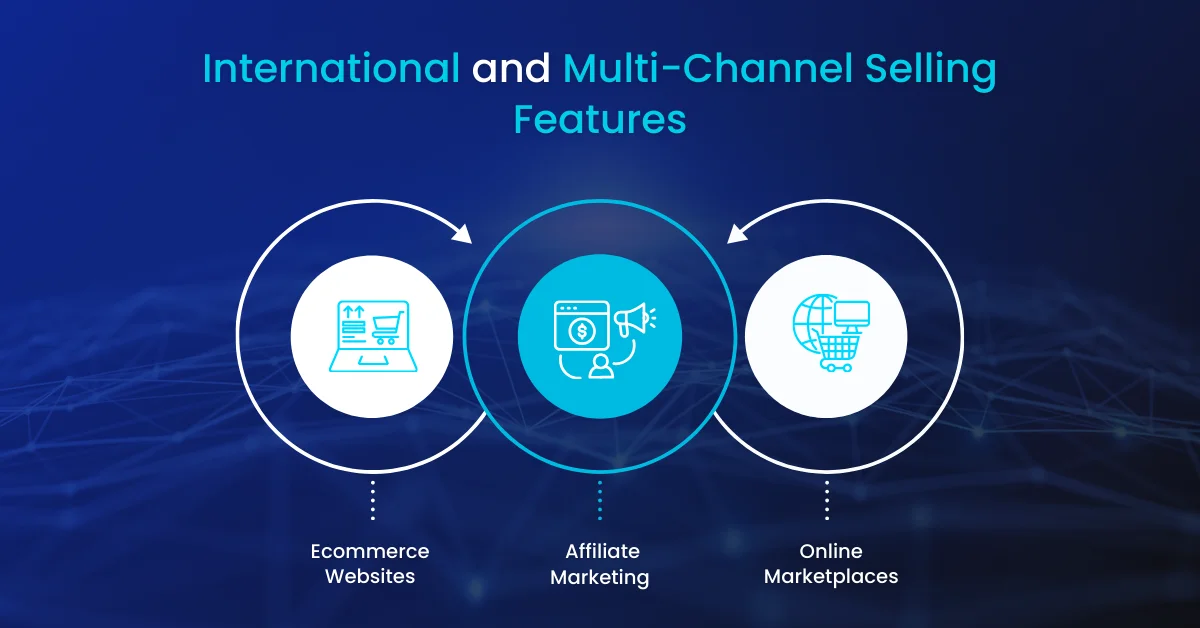
If you are selling across multiple countries, languages, or currencies, platform choice has significant implications. International commerce requirements including localized pricing, local payment methods, tax calculation by jurisdiction, and language-specific storefronts are handled very differently across platforms.
Multi-Currency and Localized Pricing
Shopify Markets, introduced in 2021, brought native multi-currency selling to all Shopify plans. Customers see prices in their local currency, payment is processed in the local currency, and exchange rates are managed automatically. For most international selling requirements, Shopify Markets is a capable solution.
BigCommerce has supported multi-currency natively for longer than Shopify and offers more granular control over currency presentation, rounding rules, and market-specific pricing. It also supports price lists that allow you to set completely different prices for different customer groups or geographic markets, which is valuable for B2B selling.
WooCommerce requires the WooCommerce Multilingual plugin or alternatives like WPML for multi-currency and multi-language support. These plugins work well but add complexity and cost. Custom builds implement exactly what you need.
Multi-Channel Selling
Sales Channel | Shopify | WooCommerce | BigCommerce | Custom |
|---|---|---|---|---|
Online storefront | Native | Native | Native | Build required |
Amazon Marketplace | Via app | Via plugin | Native | API integration |
eBay | Via app | Via plugin | Native | API integration |
Instagram Shopping | Native | Via plugin | Via app | API integration |
TikTok Shop | Native | Via plugin | Via app | API integration |
Facebook Shops | Native | Via plugin | Via app | API integration |
Google Shopping | Native | Via plugin | Native | API integration |
Pinterest Shopping | Via app | Via plugin | Via app | API integration |
Wholesale/B2B portal | Shopify Plus only | Via plugin | Native | Build required |
POS in-store selling | Native Shopify POS | Via plugin | Via app | Build required |
Tax Compliance by Market
Tax calculation for ecommerce across multiple jurisdictions is genuinely complex. US sales tax varies by state and even by county. EU VAT has different rates across 27 member states. Many Asian markets have their own consumption tax systems. Getting this wrong creates legal and financial liability.
Shopify has built-in tax calculation for major markets and integrates with TaxJar and Avalara for more complex requirements. BigCommerce includes native tax calculation for major markets. WooCommerce requires a tax plugin. Custom builds integrate with whatever tax service makes sense for your markets.
For businesses selling seriously across multiple international markets, professional tax advice and a dedicated tax compliance integration are essential regardless of which platform you choose.
Planning to Build an Ecommerce App?
Devtrios helps businesses plan and develop scalable ecommerce apps — from choosing the right platform or tech stack to building high-performance storefronts with modern frameworks like React, Next.js, and Flutter.
Discuss Your Ecommerce App →6. App Ecosystem, Integrations, and Extensibility
No platform can build every feature you will ever need natively. The breadth, quality, and cost of the app ecosystem determines how easily you can extend the platform when your needs go beyond what is built in.
App Ecosystem Comparison
Category | Shopify App Store | WordPress/WooCommerce | BigCommerce App Store | Custom Build |
|---|---|---|---|---|
Total apps available | 8,000+ apps | 59,000+ WordPress plugins | 1,500+ apps | Unlimited (build anything) |
Average quality | High, curated review | Variable, wide range | High, curated | Depends on your team |
Average monthly cost | $50-$300 per app | $30-$200 per plugin | $30-$200 per app | One-time dev cost |
Loyalty programs | Yotpo, Smile, LoyaltyLion | Multiple options | Yotpo, LoyaltyLion | Custom build |
Email marketing | Klaviyo, Omnisend | Klaviyo, Mailchimp | Klaviyo, Omnisend | API integration |
Reviews | Yotpo, Judge.me, Okendo | Yotpo, Trustpilot | Yotpo, PowerReviews | Custom or third-party API |
Subscriptions | Recharge, Bold, Loop | WooCommerce Subscriptions | Bold, Recharge | Custom subscription engine |
Search | Searchie, Boost Commerce | SearchWP, ElasticPress | Searchanise, Boost | Algolia, Elasticsearch |
AI personalization | Nosto, LimeSpot | Nosto, Barilliance | Nosto, Monetate | Custom ML models |
AR features | Zakeke, Threekit | WooAR, Zakeke | Zakeke, Threekit | ARKit, ARCore, WebXR |
API and Headless Commerce Capability
All three platforms now offer API-first and headless commerce capabilities, allowing you to use the platform as a backend commerce engine while building a completely custom frontend. The quality and completeness of these APIs vary significantly.
Shopify’s Storefront API and Admin API are well-documented, actively maintained, and support both REST and GraphQL. Shopify Hydrogen is a purpose-built React framework for headless Shopify development that gives frontend teams a modern development experience. This is genuinely the best headless commerce developer experience among the three platforms.
BigCommerce’s headless capabilities are strong and well-supported. Their open API and multi-storefront capability make it particularly well-suited for brands running multiple stores from a single backend.
WooCommerce has a REST API that is functional but less polished than Shopify’s. The WordPress ecosystem’s headless capability has improved significantly with the growth of the WordPress block editor and plugins like WPGraphQL, but the developer experience still trails Shopify Hydrogen.
7. Performance, Scalability, and Infrastructure
When your store is quiet, platform performance differences are almost invisible. When you run a major sale, launch a viral product, or get featured by a major publication, performance and scalability become the difference between capturing the opportunity and losing it to a server that cannot handle the traffic.
Infrastructure Management Comparison
Infrastructure Area | Shopify | WooCommerce | BigCommerce | Custom Build |
|---|---|---|---|---|
Hosting management | Fully managed by Shopify | Self-managed on your host | Fully managed | Self-managed on cloud |
CDN | Global CDN included | Requires setup and cost | Global CDN included | Configure and pay separately |
SSL certificate | Free, automatic | Free via host or Let’s Encrypt | Free, automatic | Configure and maintain |
Automatic updates | Platform auto-updates | Manual plugin and core updates | Platform auto-updates | Manual updates for all dependencies |
Security patches | Handled by Shopify | Your responsibility | Handled by BigCommerce | Your team’s responsibility |
Uptime SLA | 99.99% SLA | Depends on your host | 99.99% SLA | Design and negotiate with cloud provider |
Traffic spike handling | Auto-scales on Shopify infra | Requires scaling plan or CDN | Auto-scales | Design auto-scaling rules |
Backup and recovery | Shopify manages backups | Configure your own backups | BigCommerce manages | Design and implement backup strategy |
Peak traffic performance | Handles Black Friday at scale | Requires optimization and CDN | Handles significant scale | Unlimited with right architecture |
Real-World Performance Benchmarks
Shopify stores with well-optimized themes consistently score in the 70 to 90 range on Google PageSpeed Insights mobile scores without extraordinary engineering effort. The platform’s infrastructure handles traffic spikes extremely well. Shopify has publicly stated that it processes 40,000 plus requests per second on Black Friday without performance degradation.
WooCommerce performance varies wildly. A poorly configured WooCommerce store on shared hosting is one of the worst-performing ecommerce experiences available. A well-optimized store on quality managed WordPress hosting with proper caching can be genuinely fast, often surpassing Shopify in raw PageSpeed scores. The problem is that this optimization requires active technical investment and maintenance.
Custom builds can theoretically achieve the best performance of all options, but this requires deliberate performance engineering. A poorly built custom application is no faster than a poorly configured WooCommerce store.
Internal link: For a complete guide to ecommerce performance optimization including Core Web Vitals targets for every page type, read our article on ecommerce mobile app features which covers performance as a foundational capability.
8. Pricing and Total Cost of Ownership
Platform pricing is one of the most misunderstood aspects of ecommerce platform selection. The headline subscription price tells you almost nothing about what you will actually spend. Total cost of ownership across a three-year period is the right lens for this decision.
Monthly Platform Costs at Different Revenue Scales
Revenue Scale | Shopify Total Cost | WooCommerce Total Cost | BigCommerce Total Cost | Custom Build Cost |
|---|---|---|---|---|
$0 to $10K/mo revenue | $80-$250/mo all-in | $150-$400/mo all-in | $80-$250/mo all-in | $2,000-$8,000/mo (amortized build) |
$10K to $50K/mo revenue | $200-$600/mo | $300-$600/mo | $200-$500/mo | $1,500-$5,000/mo (amortized) |
$50K to $200K/mo revenue | $500-$1,500/mo | $400-$800/mo | $400-$900/mo | $1,000-$3,000/mo (amortized) |
$200K+ per month revenue | $2,000-$8,000/mo | $600-$1,500/mo | $800-$2,000/mo | $1,000-$2,500/mo (infrastructure only) |
Enterprise ($1M+/mo) | Shopify Plus: $2,300+ | $1,000-$3,000/mo | Enterprise: $1,500+ | $2,000-$5,000/mo (team + infra) |
The Transaction Fee Impact
Shopify’s transaction fee of 0.5 to 2 percent on all sales processed outside of Shopify Payments is the most impactful hidden cost for high-volume stores. At $100,000 per month in revenue, paying a 1 percent transaction fee costs $1,000 per month or $12,000 per year. That is enough to pay for a significant portion of the annual maintenance cost of a custom-built store.
At $500,000 per month in revenue, a 1 percent transaction fee is $60,000 per year. That is approaching the cost of a full custom build replacement over two years. This is the math that drives many high-volume merchants away from Shopify and toward either Shopify Plus with negotiated transaction rates, BigCommerce with zero transaction fees, or a custom build.
The Total Cost of Ownership Calculation To compare platform costs fairly, add up over three years: platform subscription fees, transaction fees on projected revenue, app and plugin costs, development and customization costs, hosting fees where applicable, and ongoing maintenance. The platform with the lowest subscription price is often not the most cost-effective option when all costs are included. |
9. Migration Considerations: Switching Platforms
One of the most important and least discussed aspects of platform selection is what happens if you need to leave. Migration risk is real, and some platforms make leaving significantly harder than others.
What You Can and Cannot Export
Data Type | From Shopify | From WooCommerce | From BigCommerce | From Custom |
|---|---|---|---|---|
Product catalog | Full export via CSV | Full database access | Full export via CSV | Full database access |
Customer accounts | Export without passwords | Full database access | Export without passwords | Full database access |
Order history | CSV export available | Full database access | CSV export available | Full database access |
Customer passwords | Cannot export (hashed) | Can export hash if same algorithm | Cannot export | Export raw hash |
URL structure | Fixed /products/ prefix | Fully configurable | Some configurability | Fully configurable |
Theme and design | Liquid templates only | WordPress/PHP themes | Handlebars templates | Your code |
SEO meta data | Exportable | Plugin export | Exportable | Full access |
Reviews and ratings | Via review app export | Plugin dependent | Via review app | Full database access |
The single most painful aspect of any platform migration is customer password portability. No platform stores passwords in reversible form for security reasons. When you migrate customer accounts, customers will need to reset their passwords on the new platform. This creates friction and typically results in some percentage of customers simply not completing the migration and treating the new site as a first-time purchase.
For this reason, timing migrations carefully and communicating clearly with customers about the platform change significantly reduces the conversion impact. Running email campaigns before migration that prompt active customers to update their preferences ensures that your most engaged customers are already aware of the change.
SEO Migration Risk
Platform migrations are SEO events. Every time a URL changes, every time meta data is reformatted, every time your site architecture changes, there is a risk of temporary ranking declines while Google reindexes and reevaluates the new site. Migrations done properly with comprehensive redirect maps, pre- and post-migration crawl comparisons, and active Google Search Console monitoring typically see ranking stability restored within two to three months. Migrations done poorly can lose organic search equity that took years to build.
- Crawl your existing site completely before migration and export all URLs
- Map every existing URL to its new destination URL and implement 301 redirects
- Migrate meta titles, descriptions, and structured data for every page
- Submit the new sitemap to Google Search Console immediately post-migration
- Monitor rankings, traffic, and crawl errors daily for the first month post-migration
- Keep the old domain’s redirects in place for a minimum of twelve months post-migration
10. Decision Framework: Which Platform Is Right for You?
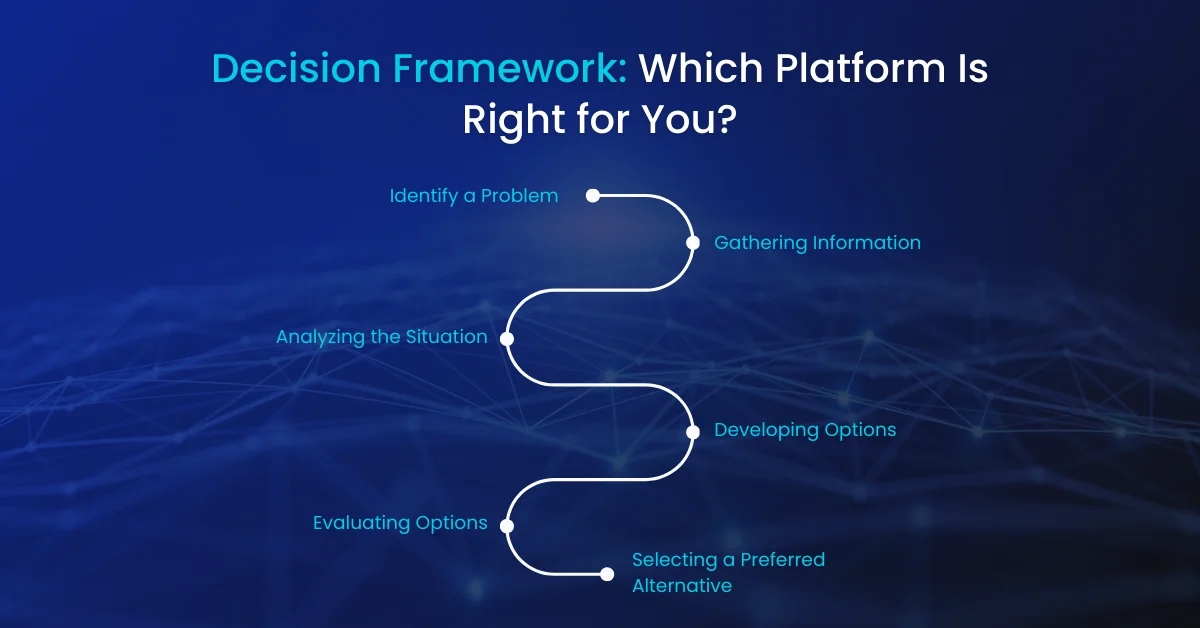
After thirty feature dimensions, four deep dives, and all the cost analysis, the question remains: which platform should you actually choose? Here is a practical decision framework organized by the factors that matter most.
Choose Shopify If:
- You want to launch as fast as possible and do not have a technical team
- You prefer paying for a managed service rather than managing your own infrastructure
- Your feature requirements are met by Shopify’s native features plus its app ecosystem
- You are planning to scale significantly and want the reliability of a purpose-built commerce platform
- You plan to invest in a custom headless frontend eventually but want the Shopify backend
- Your revenue is below the threshold where transaction fees become a meaningful cost item
Choose WooCommerce If:
- Content marketing and SEO are central to your growth strategy and you need full editorial control
- You already have a WordPress site and adding ecommerce is an extension, not a replacement
- You have a developer on your team who can manage WordPress infrastructure properly
- Total data ownership and no platform lock-in are priorities for your business
- You are in an early stage where minimizing subscription costs matters more than maximizing features
- Your products require complex custom attributes or non-standard product types that platforms handle poorly
Choose BigCommerce If:
- Transaction fees are a significant cost concern at your current or projected revenue
- You need strong native B2B or wholesale features without Shopify Plus pricing
- Multi-currency and multi-storefront are core requirements and you want them built in, not bolted on
- You have outgrown Shopify standard but cannot justify Shopify Plus
- You want a managed platform with more native features than Shopify at comparable plan tiers
Choose a Custom Build If:
- Your business model requires features or workflows that no platform can support
- Transaction volumes are high enough that platform fees justify custom development costs
- You need deep integration with proprietary backend systems that no platform app can connect to
- You have a well-funded business with experienced technical leadership and a long-term commitment to your technology stack
- You want a genuine technology moat that competitors cannot replicate by installing the same app
The Most Common Mistake The most common platform selection mistake is choosing a custom build too early. Businesses that build custom ecommerce applications before validating product-market fit spend enormous resources on technology before they know whether their business works. Start on a platform. Validate your business. Build custom when you have a specific, documented reason that the platform is holding you back. |
Final Thoughts: The Platform That Wins Is the One You Execute On
Every platform in this comparison has helped businesses build successful ecommerce operations. The platform choice matters, but it matters less than most founders think it does. What matters more is the quality of your product, the clarity of your value proposition, the strength of your customer relationships, and the consistency of your execution.
Choose the platform that best matches your current needs and your team’s capabilities. Get your store live. Learn from real customers. Then evaluate whether platform limitations are actually holding you back before investing in a migration or a custom build.
The merchants who spend six months choosing between Shopify and WooCommerce are often being lapped by the ones who launched on Shopify in week two and spent the other twenty weeks acquiring customers and learning what their customers actually want.
Building an Ecommerce App?
Our development team helps businesses plan and build scalable ecommerce apps from platform selection and architecture planning to high-performance web and mobile storefronts.
Talk to Our Ecommerce Experts →Frequently Asked Questions (FAQs)
Is Shopify or WooCommerce better for SEO?
Can I switch from Shopify to WooCommerce without losing my SEO rankings?
Is BigCommerce cheaper than Shopify in the long run?
What is the difference between Shopify and Shopify Plus?
How do I know when to migrate from Shopify to a custom build?
Which ecommerce platform is best for selling internationally?
What is the best ecommerce platform for a small business?
About This Guide
This guide is written by Ali Hamza, based on industry research, practical insights, and in-depth analysis of modern SEO reputation management strategies. The content reflects current best practices in managing online reputation, controlling SERPs, building trust, and maximizing brand visibility in 2026.
The goal of this guide is to provide accurate, actionable, and unbiased information to help businesses, marketers, and decision-makers improve their online reputation, outrank negative content, and establish a credible digital presence.
View Author Profile
15 Digital Marketing Mistakes Killing Your Business in 2026 (And How to Fix Every One)
Discover the 15 most costly digital marketing mistakes businesses make in 2026 from ignoring…

Why Hire a Digital Marketing Agency in 2026? 10 Reasons That Actually Pay Off
Thinking of hiring a digital marketing agency in 2026? Here are 10 data-backed reasons…

Top Enterprise Mobile App Development Companies in 2026: A Strategic Buyer’s Guide
Discover the top enterprise mobile app development companies in 2026. Compare capabilities, costs, security…